Design handoff to developers
Guide · 5 min read · By Utkarsh Dhairya Panwar · Updated
For a small team, good design handoff is a few habits more than a document: walk engineers through the flow early, design every state, write edge cases as rules on the frames, name components the way the code does, and review the build before release.
Handoff starts before the file is finished
The well-known handoff checklists run to dozens of points, and they're written for agencies passing a finished file to a team they'll never talk to again. A startup with one designer and three engineers has the opposite problem. Everyone talks all the time and things still get missed, because nobody drew the missing pieces.
So I start handoff at the flow stage. Before any high-fidelity screens, I walk an engineer through the flow sketch and ask two things: what will be hard to build, and which components already exist in code. Ten minutes there saves days later, because an expensive state can still be simplified while it's a sketch.
If you only manage four things at handoff, make them states, edge-case rules, final copy and component names. Builds usually go wrong on those four. The full ten-line list, with a states matrix and an analytics event table, is on my design handoff checklist template.
States: where handoffs usually fail
A screen has more states than the one in the mock-up: first-use empty, loading, partial data, error, no permission and success. Engineers who aren't given them invent them under deadline, and the invented version is usually a centred spinner and "Something went wrong".
Errors are the worst case, because one generic error frame becomes one generic error in the app. When I worked on FamPay's payment errors, a timeout, a bank decline and a retry each needed their own frame and their own words, since each means something different to the person paying. That work is written up in my guide to payment failure UX.
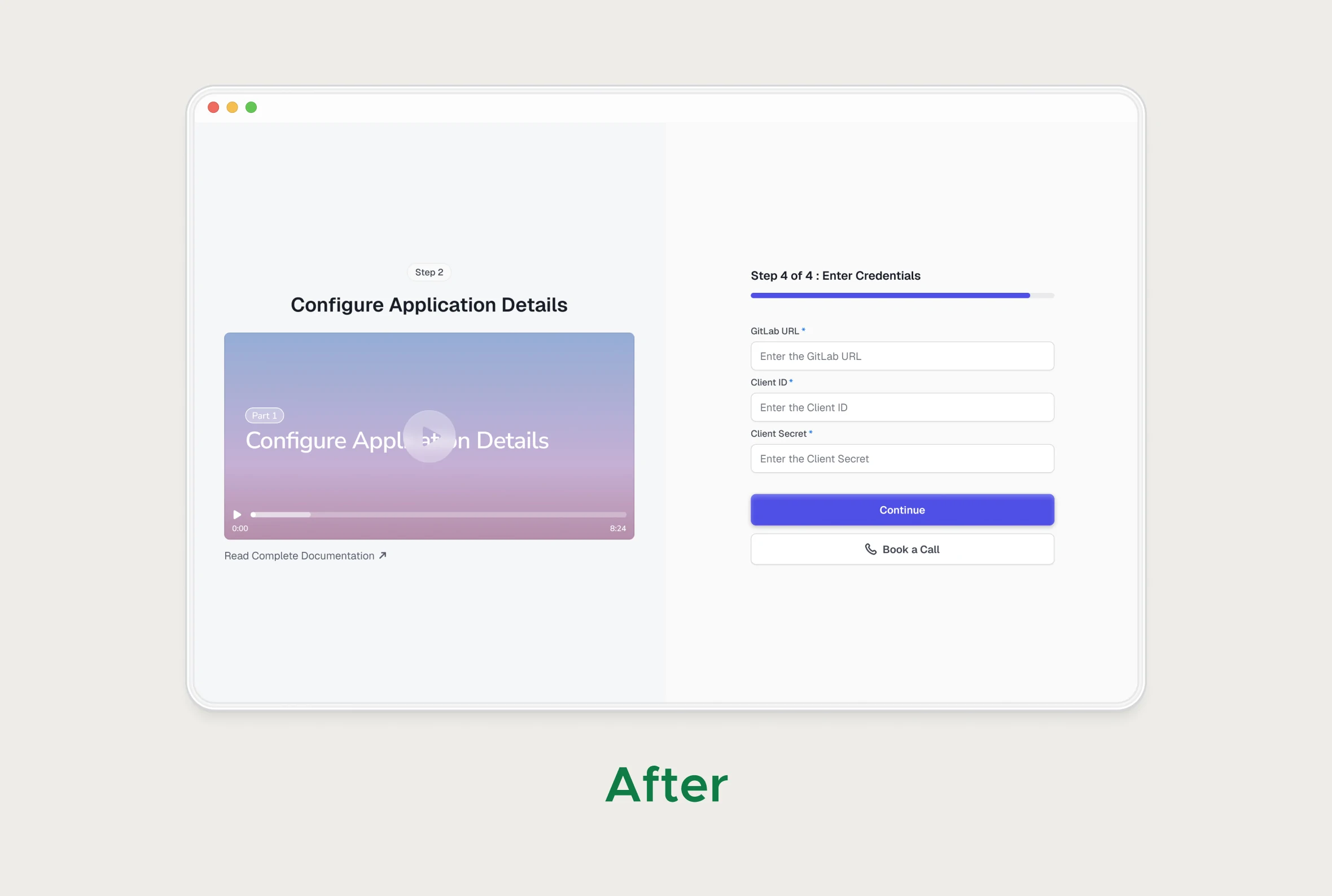
Multi-step setup is the other place states go missing. A step-by-step flow needs a frame for each step, for going back, for a failed connection and for coming back tomorrow halfway through.
Annotations that get read
Engineers open the frame they're building and rarely the separate spec document. So I write edge-case rules and usage notes right on the frames and components, short enough to read in passing. A callout pointing at the element gets read. A paragraph somewhere else mostly doesn't.
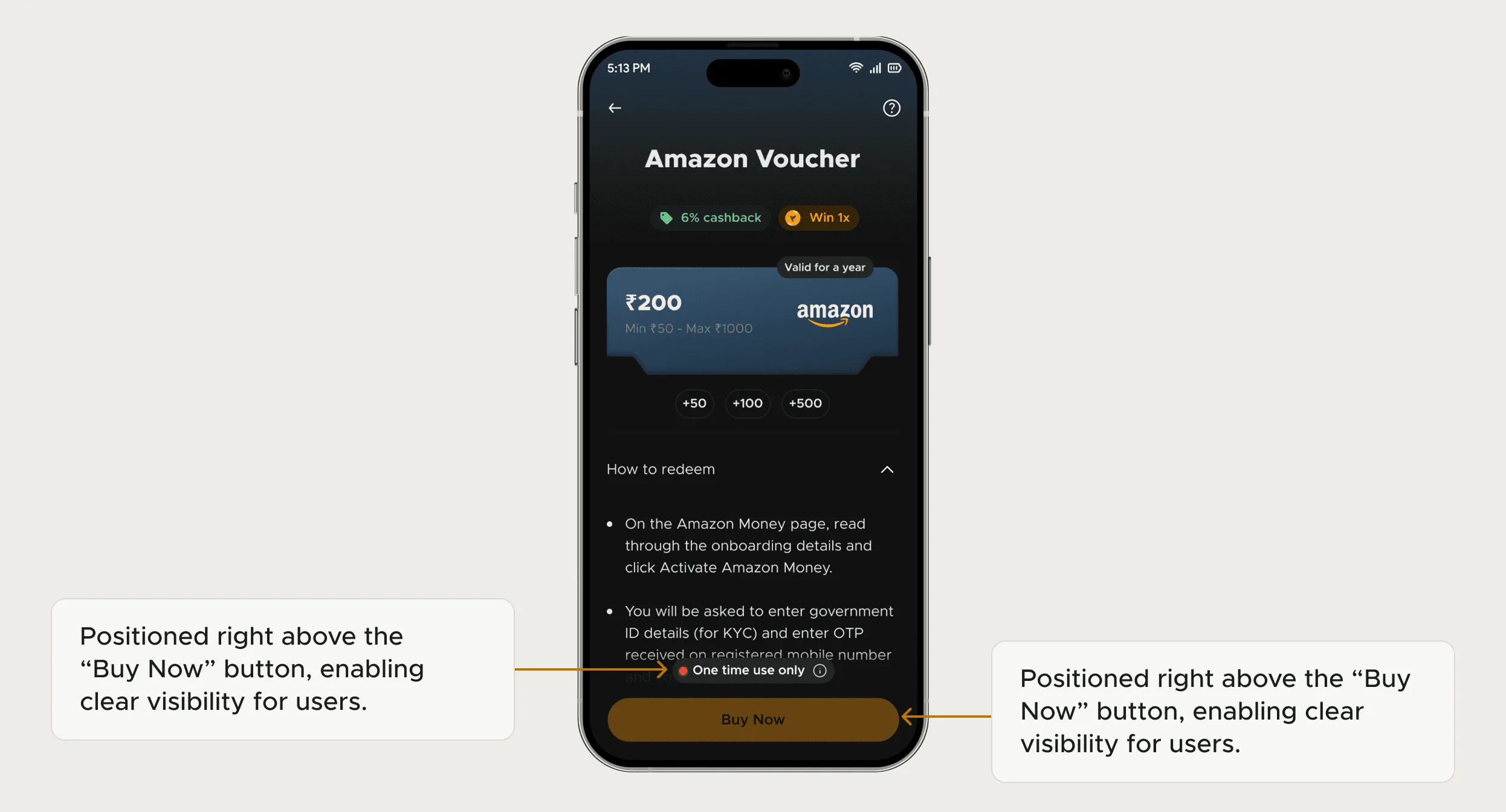
Write edge cases as rules instead of drawing every combination: "If the user isn't an org admin, show the request-access path." A rule covers cases you didn't think to draw.
Name things the way the code does
A component library only shortens handoff if engineers reach for it, and they reach for what they can find. That means a component called the same thing in Figma and in the codebase (Button / Primary / Small in both), and colours, type and spacing bound to named tokens instead of hex values. Then a handoff can say "standard table, standard empty state" and spend its detail on whatever is new. How much that saved at xPay and CodeAnt is in my guide to design systems for startups.
The same applies when the developer is an AI coding tool reading your Figma file. It can only reuse a component it can find by name, so clear component and token names matter even more when code is generated.
After handoff: review the build
Handing over the file is only part of it. Before release, I review the coded build on staging, with real data where possible:
- Trigger every error and empty state as well as the happy path.
- Try it as a user without admin rights.
- Check copy against the frames, especially error messages.
- Look at the smallest and largest supported widths.
- Confirm the analytics events fire on the agreed steps.
I write up the differences as a short list of tickets. If your components have drifted before you even get to handoff, my UI consistency audit guide covers how to take stock of them.
Questions people ask
Who owns the design handoff?
The designer is responsible for making it complete, and the engineer for asking when something is missing. Both share the build review afterwards.
How do I hand off designs to an AI coding tool?
The same way, with extra care over names. Tokens and components that match the codebase let the tool reuse them instead of generating new ones.
Do I need a design handoff document?
For a small team, notes on the frames work better than a separate document. Keep one page only for open questions and decisions, each with an owner.
Sources
- Designing Empty States in Complex Applications: 3 Guidelines, Nielsen Norman Group
- Code Connect, Figma Learn
- Guide to variables in Figma, Figma Learn
- Design Tokens Community Group, W3C Community Group
Working on this?
Tell me what you're building and where it's stuck: book a 30-minute call, email work@utkarshdesign.com or send a brief.