SaaS website redesign process, step by step
Guide · 6 min read · By Utkarsh Dhairya Panwar · Updated
Run a SaaS website redesign in this order: agree what the site must say and to whom, inventory every URL and what it earns, design page templates, write real copy into them, build, map redirects, and launch with a 30-day check. Failed redesigns usually skip the first two.
Write down why you're redesigning
Before any moodboard, I ask the founders for one sentence: what is the site failing to do today? 'It looks dated' is a fair feeling but a poor brief. 'Enterprise buyers think we're a tool for solo developers' is a brief.
That sentence sets the scope. A positioning problem needs new words before new pages. A conversion problem might be three pages and a form. 'We can't edit our own site' is a platform move, and the design may change less than you expect.
- Positioning changed: new product line, new buyer, new category name. Start with messaging.
- Conversion is flat: start with the path from hero to signup or demo, and leave the rest for later.
- Search traffic is weak: start with page structure and topics, as in the xPay restructure in my Framer SEO guide.
- The team can't ship changes: start with the platform and the page templates.
Positioning before pixels
Entvin's site started with positioning and product storytelling; the visuals came after. The hero line, 'AI Agents for Faster Drug Development', names the category and the outcome in the words their buyers use. Once that line existed, the layout decisions mostly made themselves.

This step produces a one-page document that I check every page against later. The fields:
- Who the site is for: the job title that signs, and the one that uses the product, if they differ.
- The homepage claim: one sentence naming the category and the outcome, like Entvin's.
- Proof you can back today: approved customer logos, numbers with a source, a named quote.
- Words you'll use and words you won't. If sales says 'agents' and the old site says 'automation platform', decide here.
- What the site won't try to do yet, like a second audience or an unshipped product.
It usually takes one working session with the founders and a day of edits. No other step is as cheap or saves as much rework.
Inventory what the old site already earns
A live site has value you can't see in the design: pages that rank, pages linked from docs and Reddit threads, pages sales sends in follow-ups. Export every URL from your sitemap and Search Console, add clicks, impressions and conversions, and give each one a decision.
| Decision | When | What happens to the URL |
|---|---|---|
| Keep | It ranks or converts and the content is still true | Same URL, redesigned on the new template |
| Rewrite | It ranks but the message is out of date | Same URL, new copy, keep the topic |
| Merge | Two thin pages compete for one search | One page survives, the other 301s to it |
| Retire | No traffic, no links, no sales use | 301 to the closest relevant page, never to the homepage by default |
| New | A buyer question with no page today | New URL, planned into the site map |
This spreadsheet is the main file of the project. It becomes the site map, the redirect map and the content plan.
The steps, in the order I run them
- Brief and positioning: The one-sentence problem, the buyer, the homepage claim. Signed off by whoever signs off the company's pitch deck.
- URL and content inventory: Every URL with its decision, and traffic and conversion data beside it.
- Site map and page jobs: Each page gets one job and one primary action. If two pages have the same job, one goes.
- Templates, not pages: Homepage, product page, use-case page, comparison page, blog post, changelog entry. Design the template once and fill it many times.
- Copy in the design: Real headlines and paragraphs in the mockups. Placeholder text hides layout problems until they're expensive.
- Build and CMS: Responsive layouts, CMS collections for anything that repeats, forms wired to the CRM, analytics events on every primary button.
- SEO carry-over: Titles, descriptions, headings and internal links rebuilt deliberately, and the redirect map loaded before DNS moves.
- Launch: On a quiet weekday rather than a Friday evening, with someone watching forms and Search Console.
- Thirty-day check: Rankings for the top pages, crawl errors, conversion on the primary path, compared with the month before.
Design a page system the team can extend
A SaaS site keeps growing after launch with comparison pages, integrations and use cases. At CodeAnt the site had to keep up with a platform that grew from AI code review into security scanning, code quality and developer metrics. Comparison pages like 'Sonarqube vs CodeAnt AI' come from a template, so the next one is a content task rather than a design project.
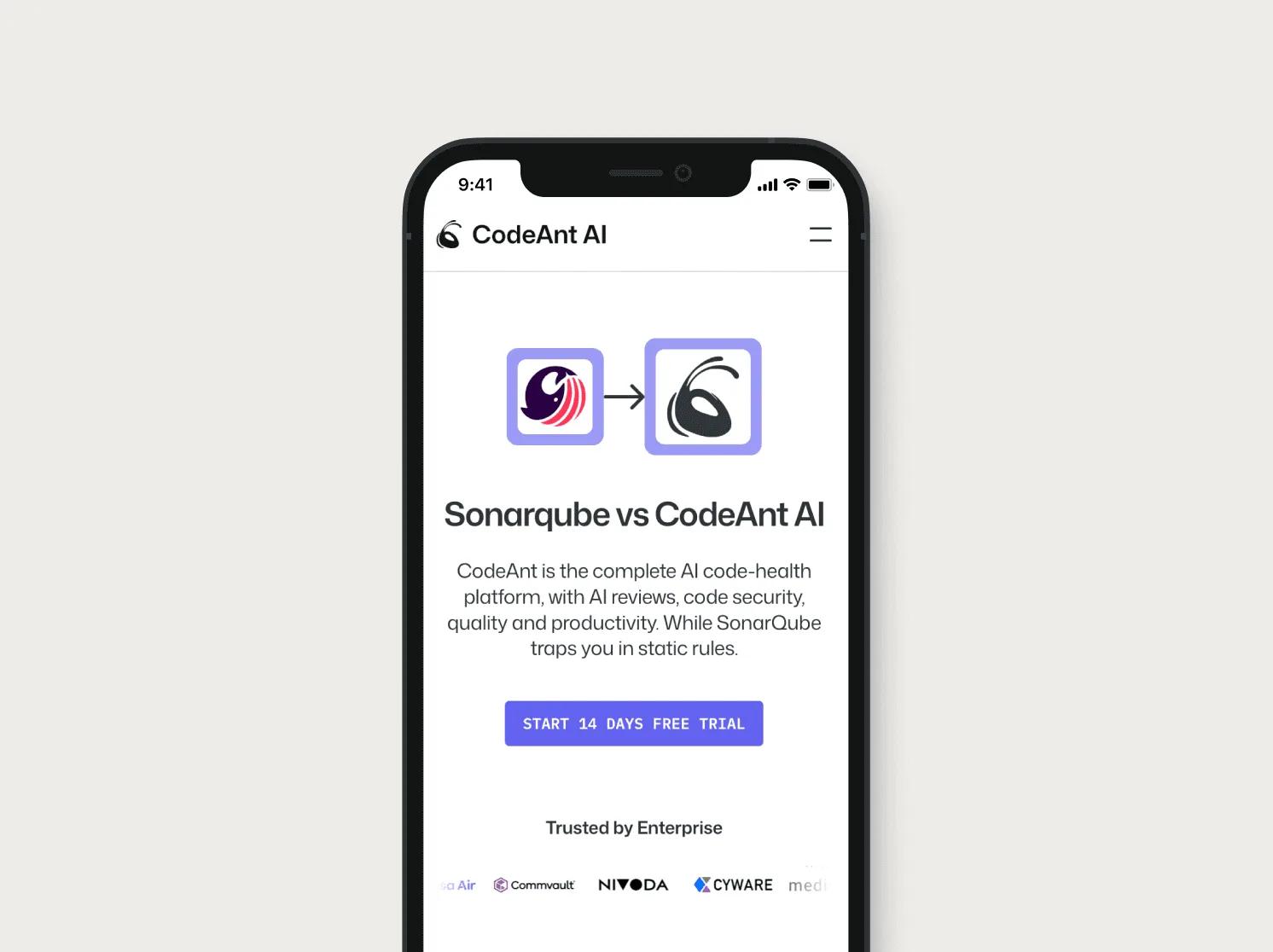
Hand over twelve polished one-off pages and no templates, and the next page gets built by copying the nearest one and editing it until it half fits. That's how sites drift back to the state that triggered the redesign.
Keeping SEO through the redesign
The inventory already decides which URLs stay. Three rules cover most of the rest. Keep the topic of every ranking page: rewriting a page about 'AI code review' into one about 'developer productivity' is a new page as far as Google is concerned. Rebuild internal links on purpose, because redesigns tend to drop the footer and sidebar links pages depended on. And load the redirect map before DNS moves, whichever builder you're on.
Website migration SEO: The URL map, one-hop 301s, launch-day order and six weeks of Search Console checks.
What to measure after launch
Compare the thirty days after launch with the thirty before: organic clicks to the pages you kept, conversion from visit to signup or demo request, and how many of those become qualified pipeline. A ranking dip for a week or two is normal. One that lasts a month usually means a missing redirect or a rewritten topic.
If you want someone to run this with you, my website redesign service does it end to end in Framer. The cost guide covers how scope turns into budget.
Questions people ask
Should we redesign or just rewrite the copy?
If buyers misunderstand what you do, rewrite first. A redesign makes sense when the structure or the platform is what stops the team from fixing it.
Do I need new branding before a website redesign?
Not always. If the logo and colours still fit the company, keep them and spend the effort on positioning and page structure.
Who on my team needs to be involved?
A founder for the positioning session and final sign-off, whoever owns marketing for the inventory and copy, and someone with Search Console and analytics access. Engineering is only needed if forms or scripts touch the product.
Is the process different on Wix or Squarespace?
The steps are the same. Each builder has its own redirect settings and template limits, so check those during the inventory, before design starts.
Sources
- Site Moves and Migrations, Google Search Central
- Redirects and Google Search, Google Search Central
Working on this?
Tell me what you're building and where it's stuck: book a 30-minute call, email work@utkarshdesign.com or send a brief.