How we doubled trial-to-paid at CodeAnt
Guide · 8 min read · By Utkarsh Dhairya Panwar · Updated

Trial-to-paid at CodeAnt AI doubled after I fixed the step where most trials died: connecting a repo needed an org admin, and most people signing up weren't one. Blocked users got a way to pull the admin in. Guided setup, a Get Started screen and behaviour-based emails did the rest.
Where the trials were dying
I joined CodeAnt AI, a code health platform, as founding designer in June 2024. Signups were growing, but fewer of them reached any of the product, and none of it works until a repository is connected.
On paper the path was short: sign up, choose a Git provider, connect a repo, see your code health. The funnel showed people leaving at the third stage without saying why. When drop-off piles up on one step, I now ask whether the person on that screen can finish it before I ask whether the screen is confusing.

The admin wall was an org-structure problem
Connecting a company repository means installing the GitHub app on the company org, and that needs admin rights. The install defaulted to the developer's personal account. Most developers who discover a tool aren't the admins who decide what gets installed, so they hit a wall with no error message and no next step.
The person with intent had no access, and the person with access had no idea CodeAnt existed. B2B tools rarely activate through one user finishing one flow, so polishing the connect screen wouldn't have helped. The stuck person needed a way to hand the step on.
Give the blocked user a way to pull in the right person
A developer without admin rights now gets two ways forward instead of a dead end: email the admin straight from the product, or copy an invite link into the team chat. I kept both because teams ask each other for things in different ways, and the blocked person knows which one their admin will answer.
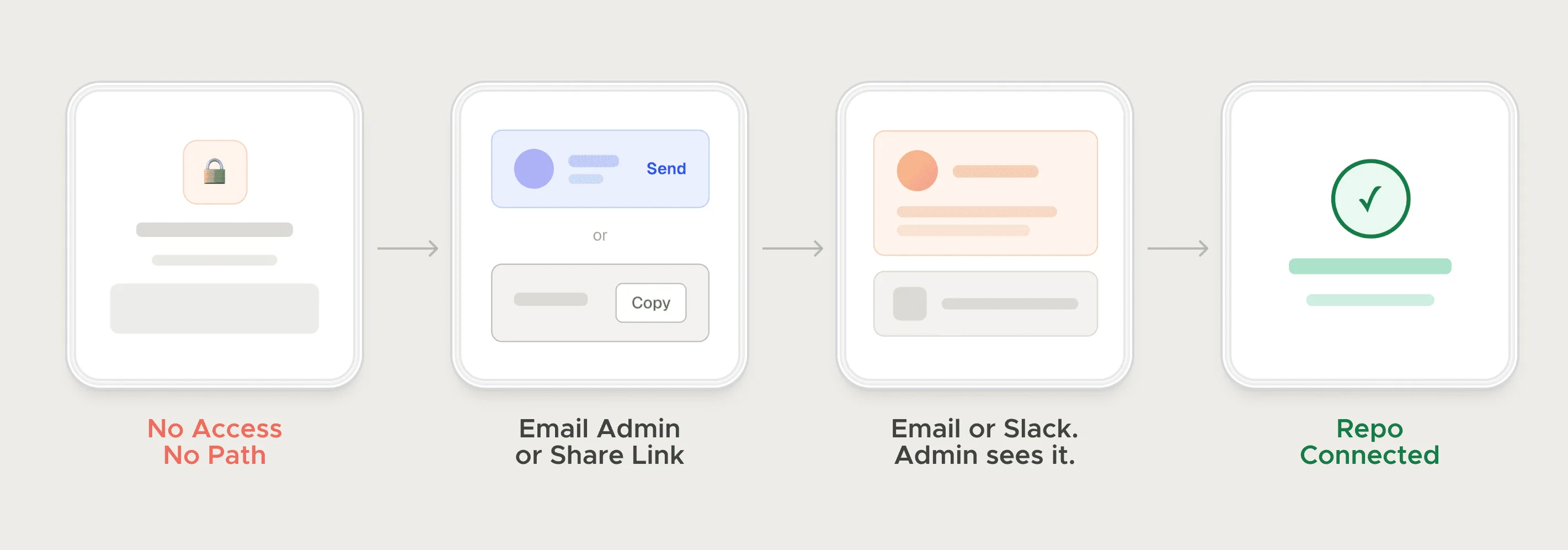
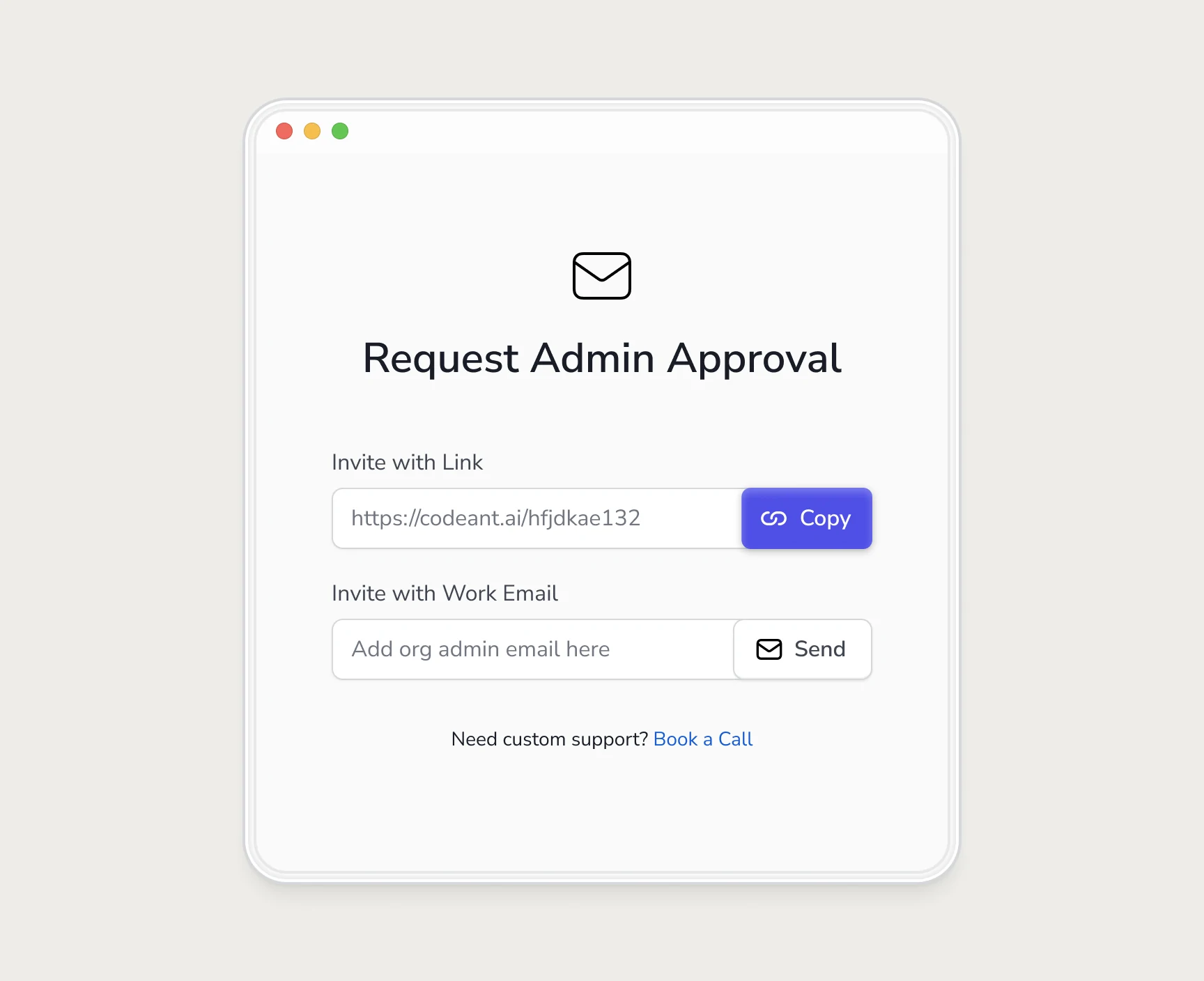
The framing mattered more than the screens. I stopped treating the developer who signed up as a failed activation. They were the person selling CodeAnt inside their company, and my job was to make that ask quick to send and easy to approve. Drop-off at the admin wall fell by 40%. The request modal, the admin's side and the waiting state are in my team invite flow guide.
Self-hosted setup: a sequence instead of a dense doc
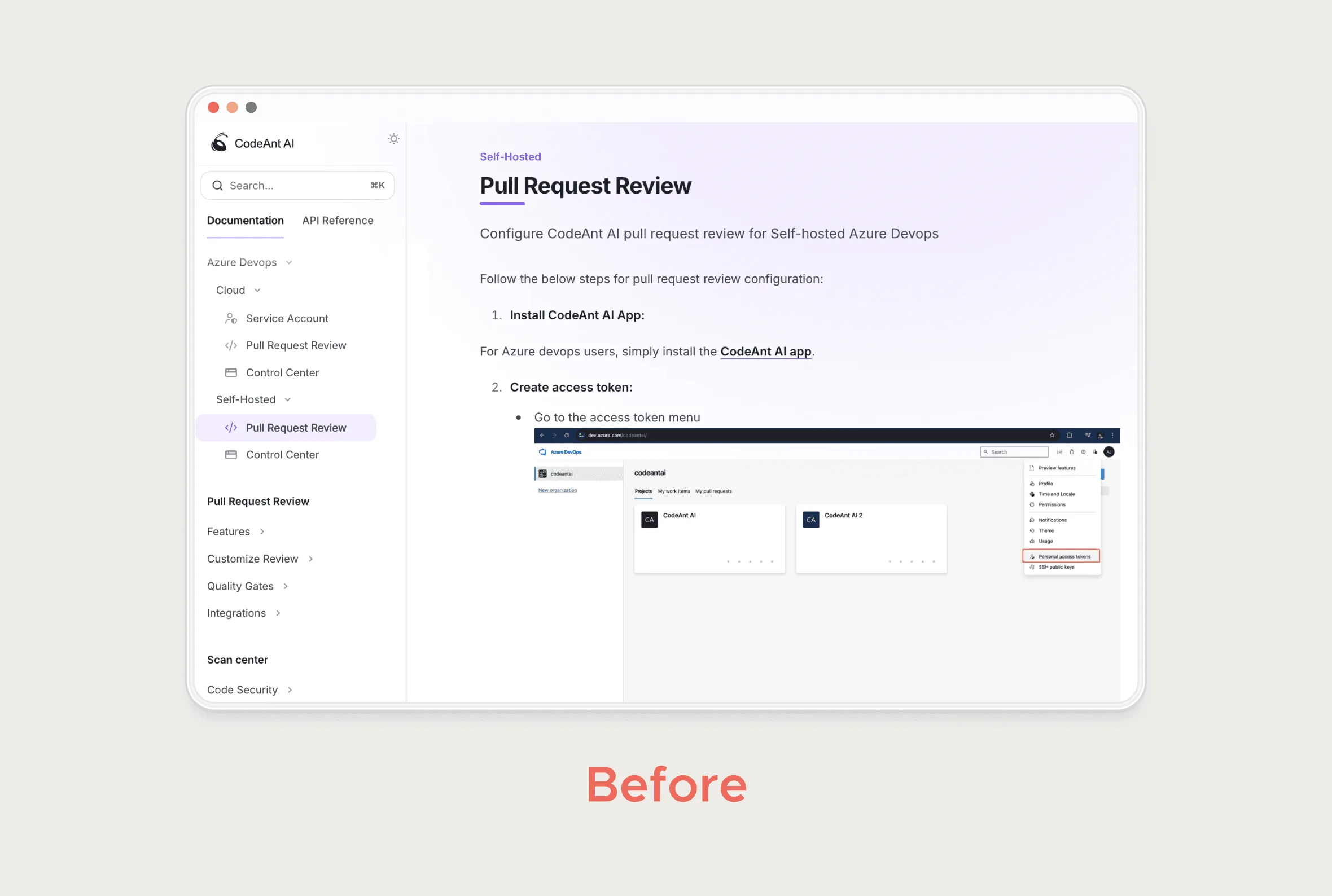
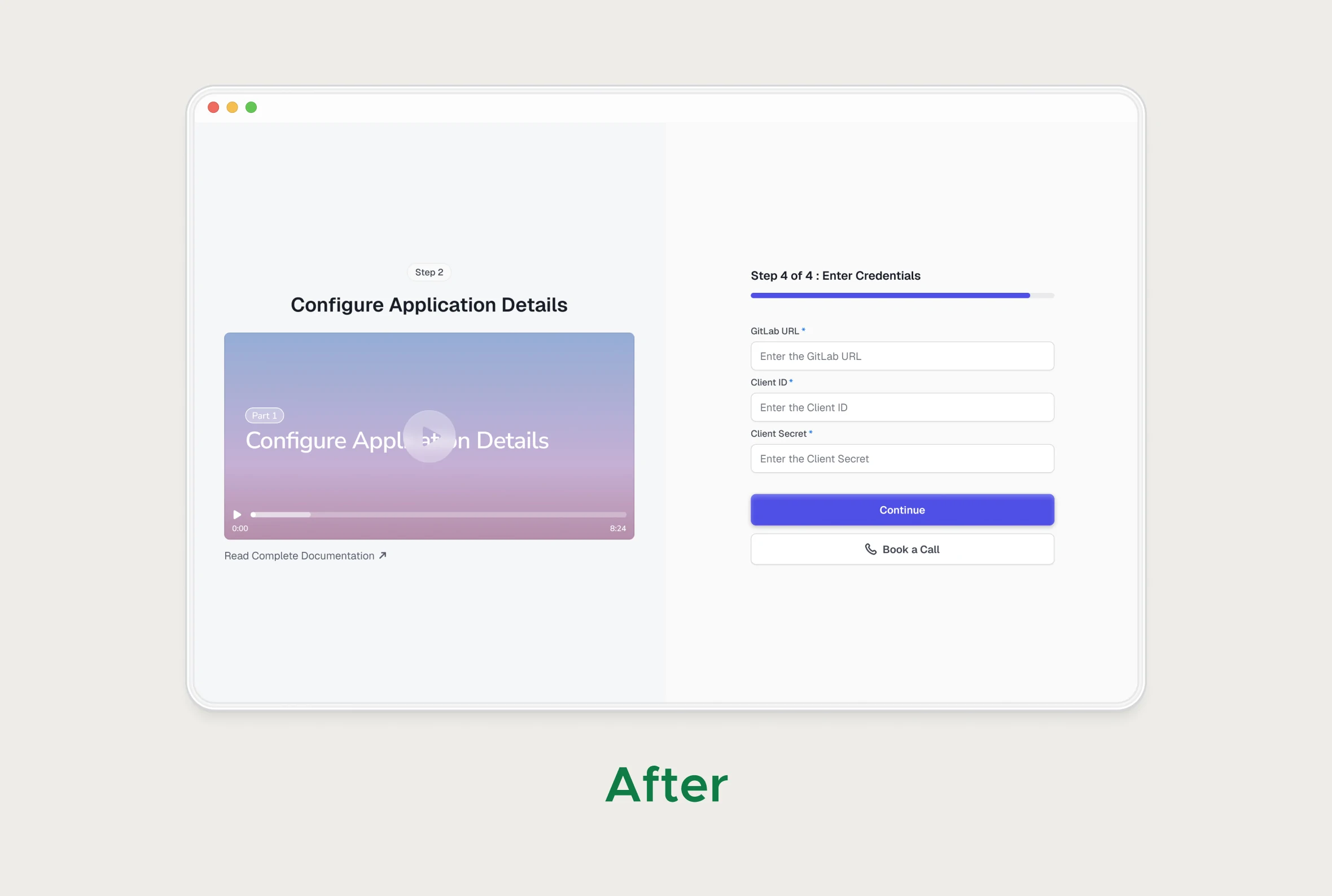
Teams on self-hosted Git had a different problem. Setup lived in one dense doc covering every platform at once, so each reader had to filter out the parts that weren't theirs before starting.
I turned it into step-by-step flows with a short video for each platform. You pick your platform, see only your steps and watch what each should look like. Docs still matter for edge cases, but for a first setup I'd take a sequence over a reference page every time.
Connected is not the same as getting value
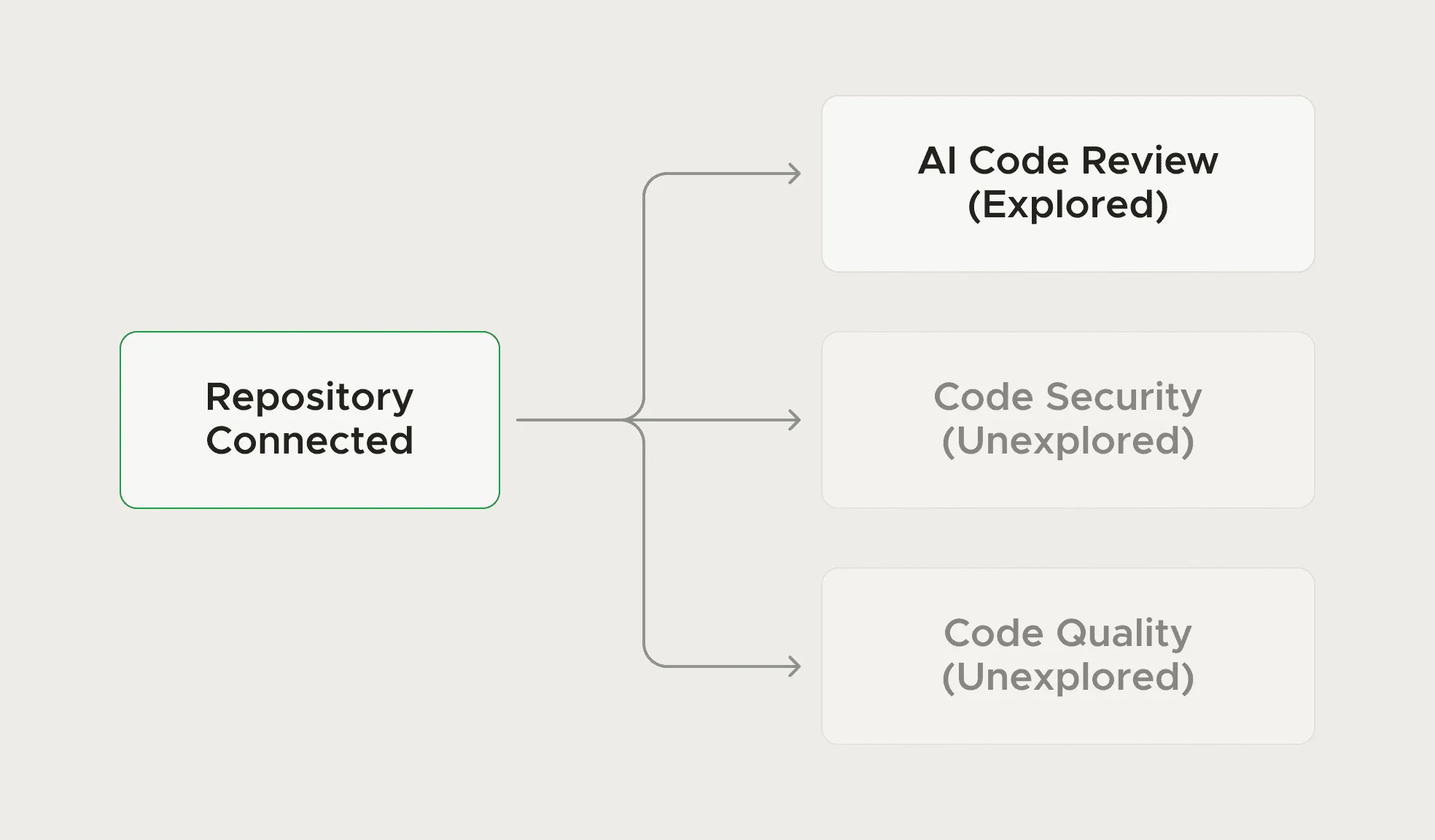
Even with a repo connected, plenty of users never found the part of the product they came for. CodeAnt has several product lines (reviews, security, quality, metrics), and people sign up for different ones.
I didn't build a product tour. The Get Started screen lists each product line, and each one links straight into its own setup, in any order. Developers skip tours anyway, and a tour assumes everyone wants the same thing in the same order.
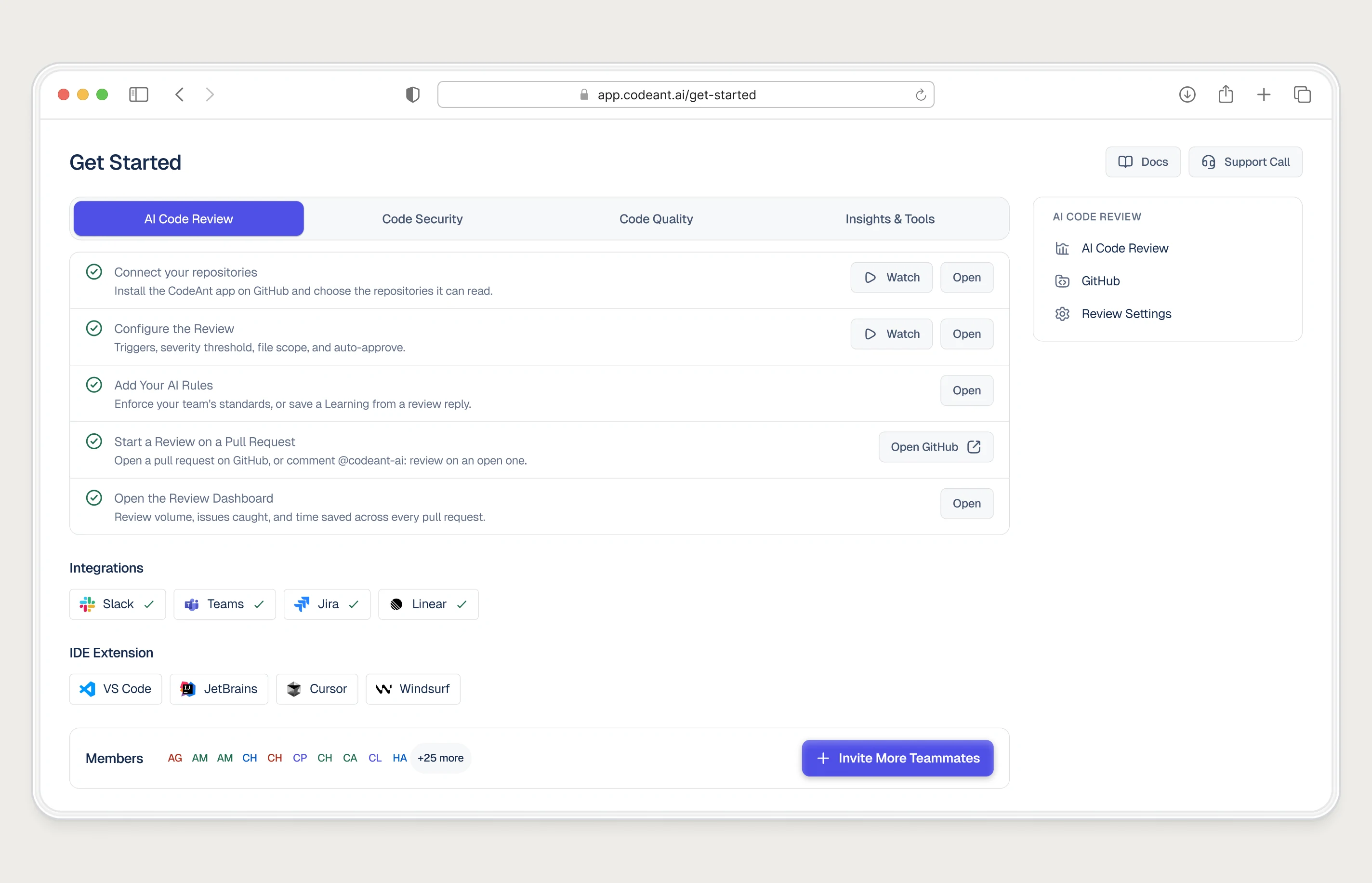
Seven setup steps to three, and a clear first success
Counted as the steps a user clicked through, setup was seven before the onboarding A/B tests and three after. The tests also made it plain what success on the first pull request looks like, so people knew when setup had worked.
Activation doubled. I can't split that result between the two changes, and I wouldn't trust anyone who claimed to from one round of tests. I think they need each other: fewer steps cut the doing time, and a visible finish line stops people hovering at the end.
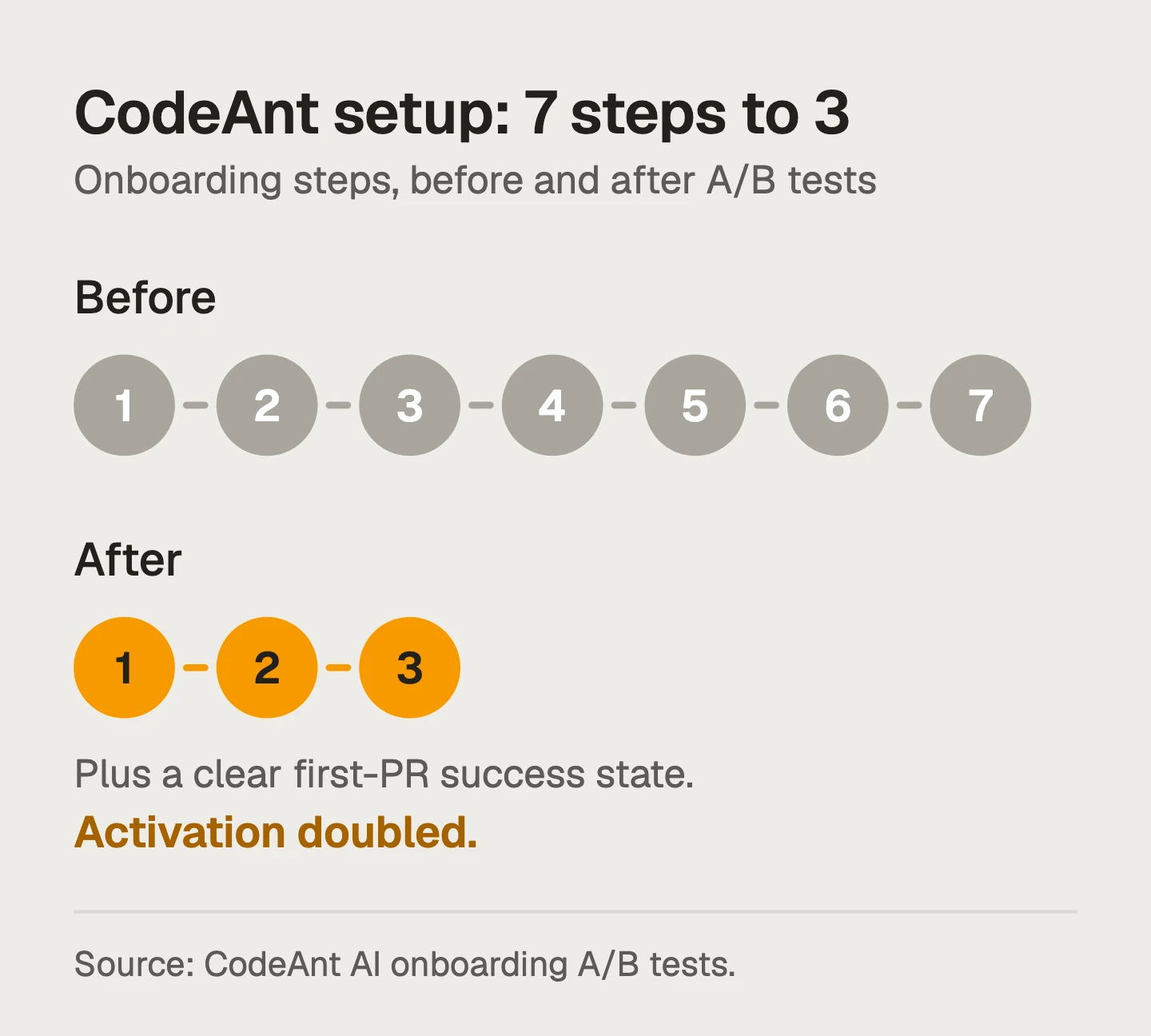
To decide what to cut, I asked of each step whether the user needed it before their first result, or only the backend did. Backend-only steps can usually wait until after the first win.
Carry onboarding through the whole trial
Most trials don't end on day one, so I designed emails that kept onboarding going until the trial ended. Each one went out because of what that user had or hadn't done, instead of a fixed drip sending everyone the same thing on the same days.
The same logic ran inside the product as nudges: someone who had connected a repo heard about the parts they hadn't touched, and nobody was told to set up something they already had.
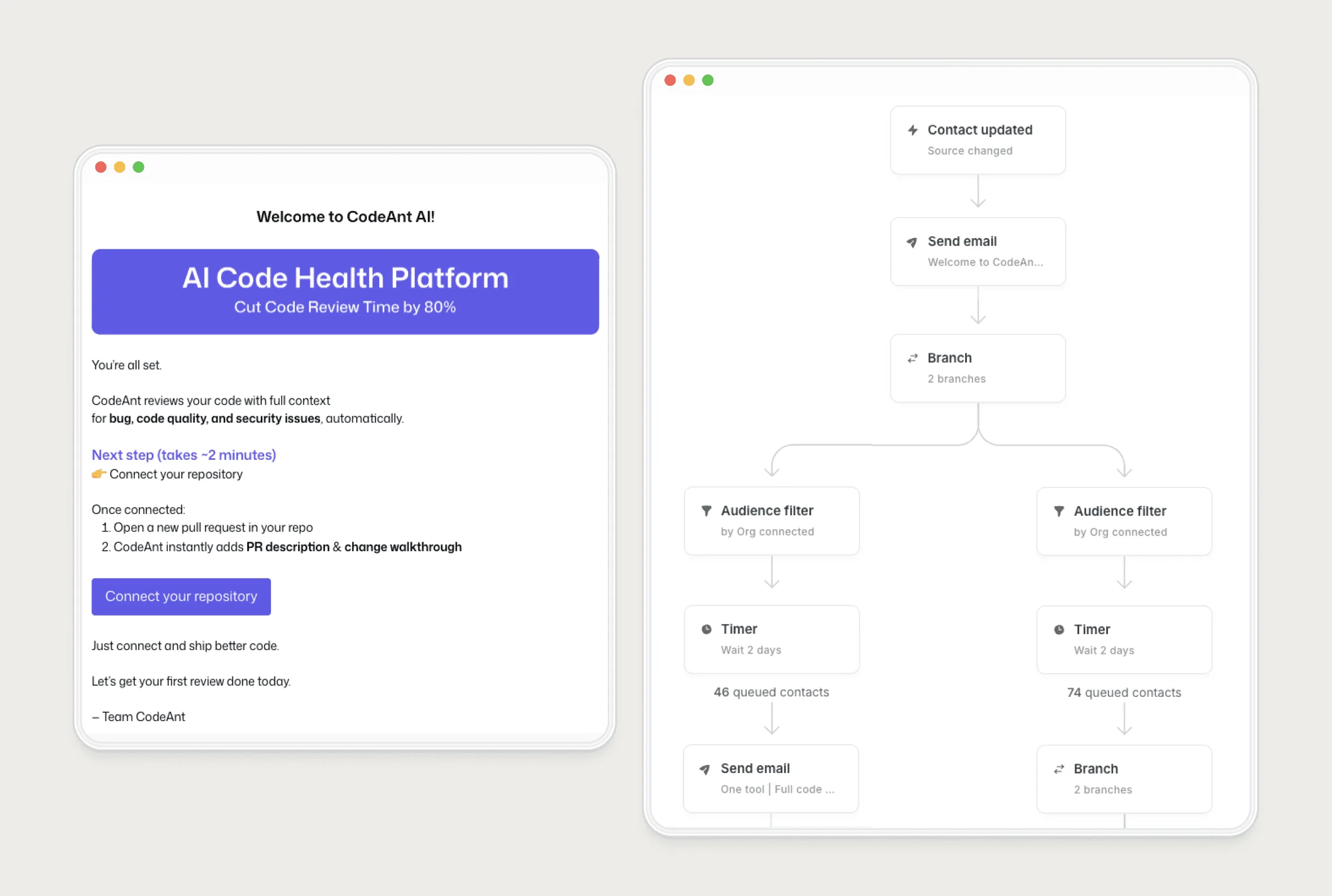
To build this, list a few activation events and write one message for each that hasn't happened yet. My onboarding email sequence template has the trigger map and copy.
What each change did
| Before | Change | Result |
|---|---|---|
| No org admin rights, so a dead end at connecting a repo | Email the admin, or share an invite link into team chat | 40% less drop-off at the admin wall |
| 7 setup steps and no clear first-PR success state | A/B tested down to 3 steps with explicit first-PR success criteria | Activation doubled |
| One dense self-hosted doc for every platform | Step-by-step flows per platform, each with a video | Part of the combined result |
| Connected users only found one product line | A Get Started screen linking into each product line | Part of the combined result |
| Every trial got the same emails on the same days | Emails and nudges triggered by what each user had done | All five together: 2× trial-to-paid |
What I'd reuse on any B2B product
- Find the step where drop-off concentrates, then check whether the person on it has the permissions to finish.
- If they don't, design the hand-off to whoever does. In a trial, a dead end costs more than a badly designed screen.
- Split setup by environment, and link straight into each part of the product instead of running a tour.
- Tell people when they've succeeded. A setup that ends on an unchanged screen leaves them guessing.
- Trigger every nudge and email from behaviour, and never send one about something already done.
A test I still use: if a step needs a human to explain it, the onboarding isn't self-serve yet. Either the product explains it, or it hands the step to the person who can do it.
CodeAnt AI case study: The wider project: product, Framer website, brand and design system, with the onboarding screens.
If your trial numbers look like CodeAnt's did before this work, my SaaS onboarding audit runs the same process on your product.
Questions people ask
What is the difference between activation and trial-to-paid conversion?
Activation is a new user reaching first real value, for CodeAnt a connected repo and a reviewed pull request. Trial-to-paid is whether the account pays when the trial ends. Activation is the earlier signal and moves first.
Which change made the biggest difference?
Only two were measured on their own: the admin hand-off (40% less drop-off at that step) and the shorter setup (activation doubled). The 2× trial-to-paid came from all of them together.
Does the admin-wall fix apply outside developer tools?
Yes, to any B2B product where the person who signs up can't finish setup alone, such as connecting a workspace, a billing account or an identity provider. Let the blocked user hand the step to the person who can do it.
Sources
- Installing a GitHub App from a third party, GitHub Docs
- Requesting a GitHub App from your organization owner, GitHub Docs
Working on this?
Tell me what you're building and where it's stuck: book a 30-minute call, email work@utkarshdesign.com or send a brief.