Team invite and admin approval flows for B2B products
Guide · 6 min read · By Utkarsh Dhairya Panwar · Updated
B2B products need two flows: an invite, where someone with access adds people, and a request, where someone without access asks for it. The request is what saves trials. At CodeAnt AI, letting blocked developers email their admin or share an invite link cut drop-off at that step by 40%.
Invite and request are different flows
An invite flow starts with someone who already has power in the workspace: an owner adds teammates by email or link and picks their role. Plenty of products do this well.
A request flow starts with someone who doesn't. They found the product and want it, but the next step needs a permission they lack. Most onboarding is designed as if this person doesn't exist, so they hit a disabled button or a generic error and leave.
At CodeAnt the wall was connecting a repository. Installing the GitHub app on a company org needs an org admin, and the install defaulted to the developer's personal account. Funnel data showed people dropping at that step. It couldn't show that they weren't allowed to finish it.
Anatomy of the admin approval request
I designed a Request Admin Approval modal for anyone who couldn't complete the install. It has three parts.
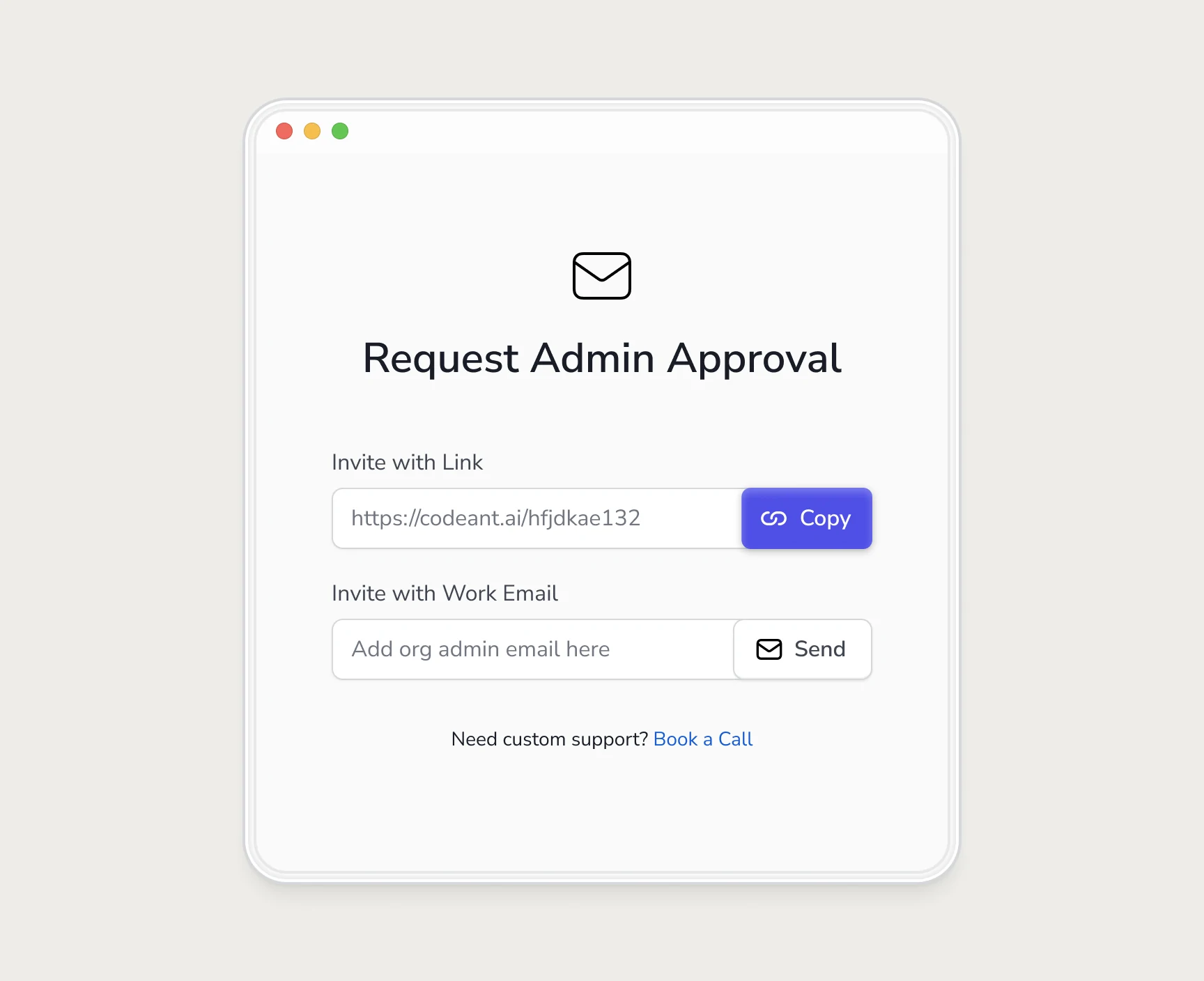
- An invite link with a Copy button. For teams where requests happen in Slack or Teams, the developer pastes it into the channel where the admin already is.
- An admin email field with Send. When the admin is a named person rather than a channel, the product sends the request so the developer doesn't have to write one.
- A Book a Call link. Some admins won't approve a new tool without a conversation, so this gives the developer something to offer.
Two channels, because the blocked person knows how their admin responds and the product doesn't. Forcing one route would have meant guessing at their org, and org structure was the whole problem.
What the admin should receive
The admin is a different user with different worries. They didn't sign up, may never have heard of the product, and part of their job is saying no to risky things. The request should answer their questions before they ask:
- Who is asking: The colleague's name, so it reads as a request from a teammate rather than vendor email.
- What it is: One line on what the product does, in their words.
- What it will access: Which permissions, and whether they can limit it to selected repositories.
- One action: A single button that goes straight to the approval instead of a marketing page.
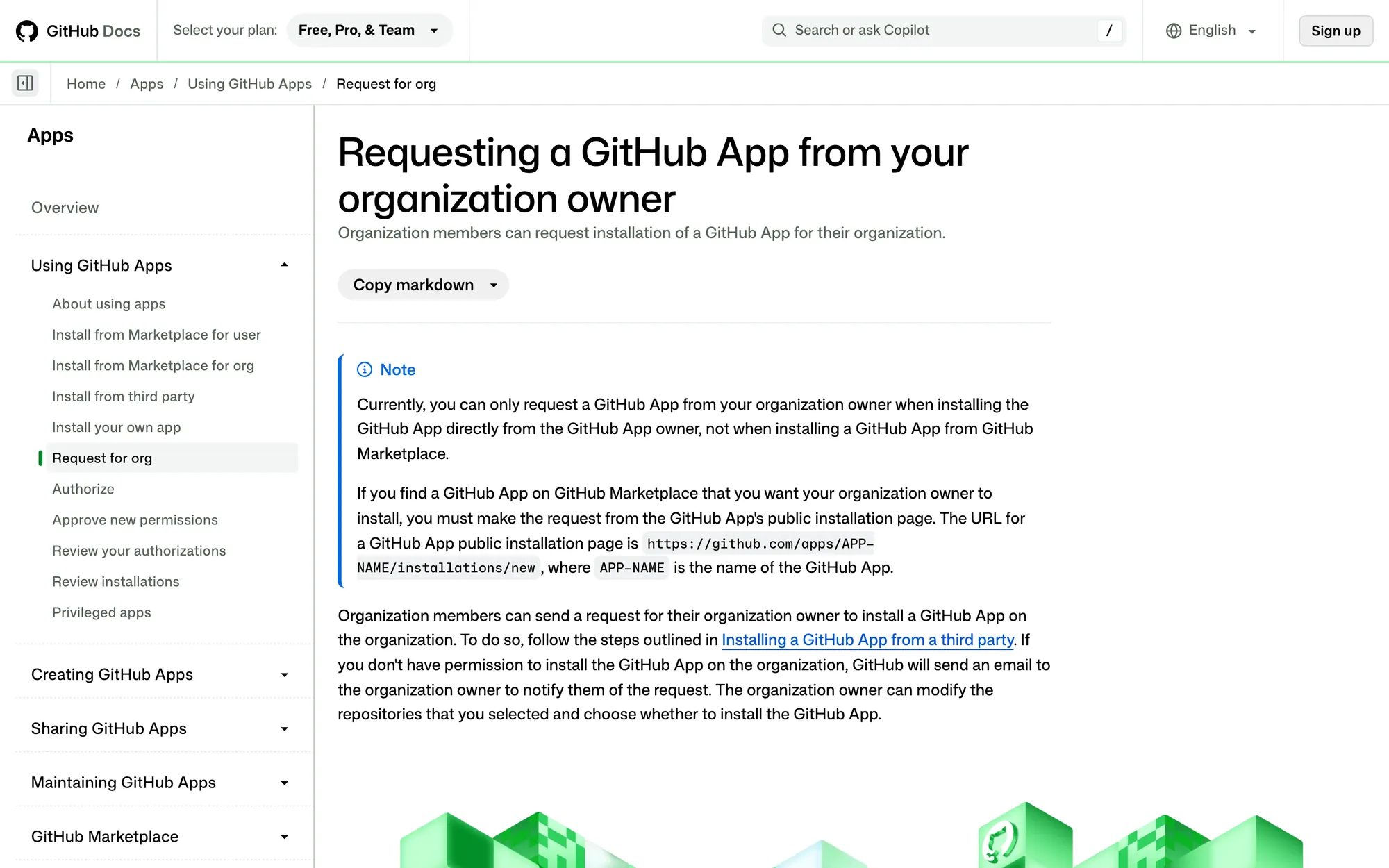
Platforms sometimes do part of this. GitHub's docs describe a request path: when an organization member who isn't an owner tries to install an app, GitHub emails the owner. That helps, but the email is generic. Your own message is where you explain why it matters to their team.
Design the wait, too
Once the request is sent, the developer is waiting on someone else, and that gap is where interest fades. What helps:
- Confirm what was sent and to whom, so they don't send it three times.
- Give them something to do meanwhile: a personal repo, a sample, the docs for the part they care about.
- Tell them the moment it's approved, by email and in the product, with a link straight back to where they stopped.
- If nothing happens, a reminder to the requester (not the admin) with the same two options, so they can nudge in their own words.
Invites after the first win
For ordinary invites, timing decides how they land. An invite prompt on the first screen, before someone has seen anything, mostly gets skipped. After the first result there's something to show, and inviting feels more like sharing than homework.
CodeAnt's Get Started screen keeps an Invite More Teammates option next to the setup tasks, so it's there when someone's ready without blocking anyone who isn't. Other products remove the invite entirely for colleagues: Notion's help docs describe allowed email domains, where anyone signing up with a company address is offered the workspace during onboarding.
The admin request was one part of a larger onboarding change at CodeAnt, written up in full in how we doubled trial-to-paid. If your product has a step only an admin can finish, my onboarding audit is built to find it.
Questions people ask
What is an admin approval flow?
A flow that lets a user without the right permission ask someone who has it, such as an org admin installing an integration, and then picks the user up again once it's approved.
Should invites use email or a shareable link?
Offer both. Email suits admins you can name; links suit teams that ask for things in chat. The person sending knows which one their colleague will act on.
When should a product ask users to invite teammates?
After the first real result, unless the user is blocked and needs a teammate or admin to continue. Then the ask should appear right at the blocked step.
Does this only apply to developer tools?
No. Any B2B product where setup needs someone else's permission has the same problem: connecting a workspace, a billing account, an identity provider or a shared calendar.
Sources
- Requesting a GitHub App from your organization owner, GitHub Docs
- Workspace settings in Notion, Notion Help Center
Working on this?
Tell me what you're building and where it's stuck: book a 30-minute call, email work@utkarshdesign.com or send a brief.