MVP design for startups
Service · Updated
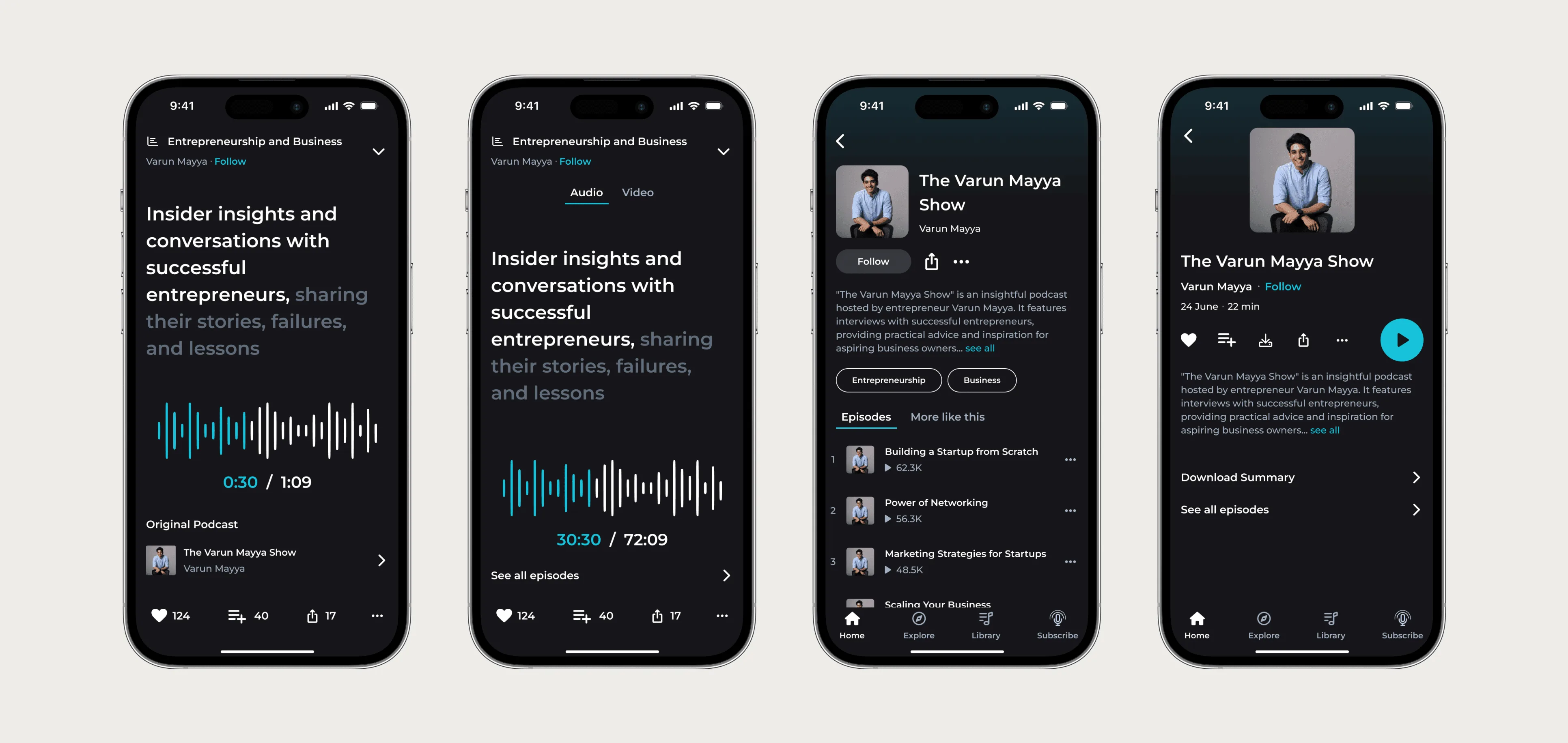
MVP design means designing only the screens that test the one assumption that could sink the company, and deciding what to fake, skip or do by hand. I run it over 3 to 6 weeks and hand over build-ready Figma flows plus a prototype you can test with users.
Small scope, finished screens
Most MVPs I see are too big in the wrong places. They have a settings area, roles and a notification centre, and the one screen that tests the idea got two days of attention. I'd cut the scope hard and make the remaining screens look and behave like a real product. Users read a rough product as a bad idea, and then the test tells you nothing.
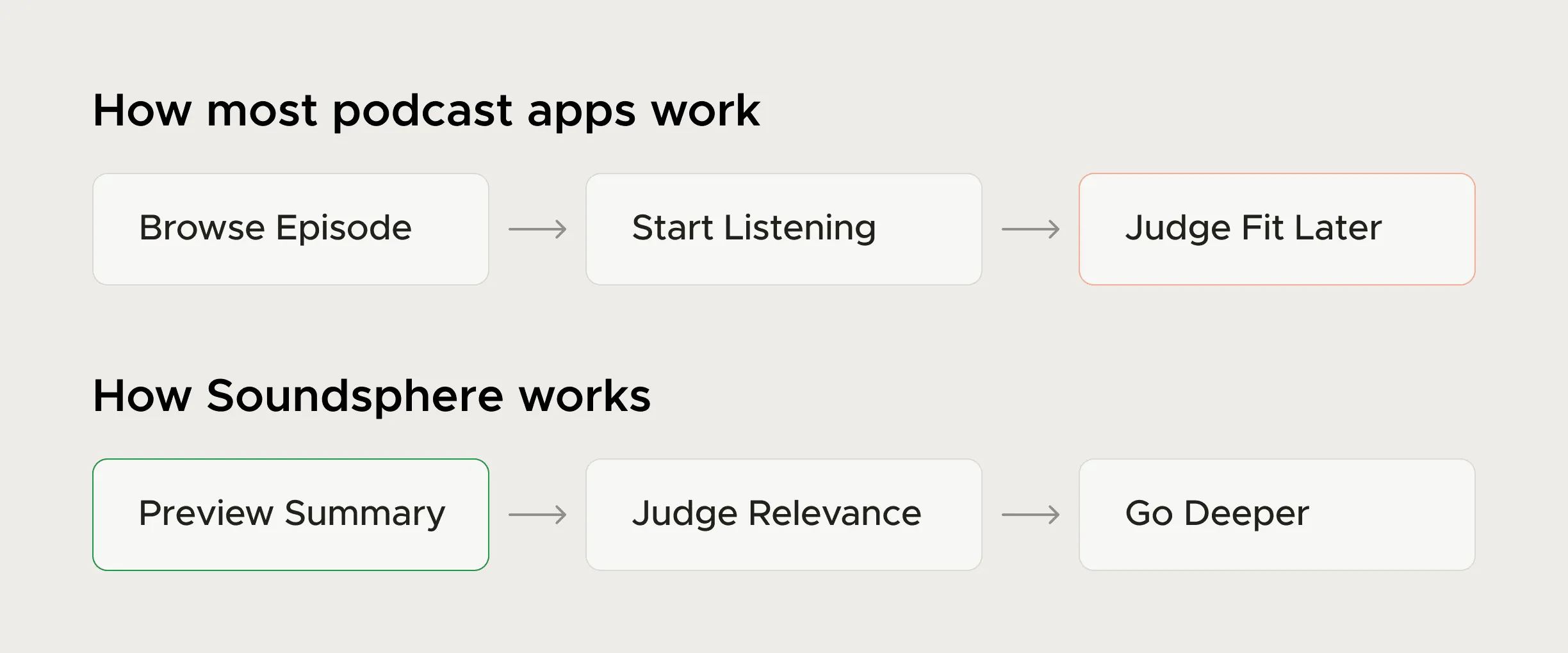
The first job is to write the riskiest assumption as one sentence. For SoundSphere, a 4-week concept, the same line kept coming up in interviews: "I don't know if it's worth starting." The bet was that a short AI summary, heard before the full episode, would change that decision. Every screen in the concept existed to test it.
What to build, what to fake, what to skip
With the bet written down, I go through your feature list with you line by line. Each item lands in one of three piles, with a note on why.
| Pile | What goes in it | Typical examples |
|---|---|---|
| Build properly | The path that tests the bet, from signup to the first moment of value | The core workflow screen, its empty and error states, the first result |
| Fake or do by hand | Things users must see but you can run manually for the first 50 accounts | Billing by invoice, onboarding done on a call, reports sent as a PDF |
| Skip for now | Things nobody will churn over in month one | Roles and permissions matrix, dark mode, a full settings area, an admin console |
Anything that blocks the first success can't be skipped. At CodeAnt AI, connecting a repository needed an org admin's approval, and that one permission step decided whether a trial went anywhere. If your product touches someone else's data or accounts, that step goes in the build pile from day one.
What you get
- A one-page assumption brief: the bet, how you'll know it worked, and the build, fake and skip lists.
- A flow map from signup to first value, with every decision point marked.
- High-fidelity Figma screens for the build pile, including empty, loading and error states.
- A clickable prototype for five to eight user sessions before engineering starts.
- A small component set (buttons, inputs, tables, cards) so the next ten screens don't need me.
- Notes for engineers, written next to the frames they'll open.
When an idea needs proof faster than Figma allows, I build a working version of the risky interaction with AI coding tools. Some arguments get settled in an afternoon once a prototype runs on real input.
How the 3 to 6 weeks run
- Week 1: the bet and the three piles: Two working sessions with the founders, a read through any research or customer calls you have, then the assumption brief. I don't design anything until you've signed off on it.
- Weeks 2 to 3: flows, then the core screens: The flow map first, agreed in writing. Then the screens that test the bet, with their states. Reviews twice a week.
- Week 4: put it in front of people: Prototype sessions with five to eight people who match your buyer. I fix what they trip on and treat their feature wishes as notes for later.
- Weeks 5 to 6, if needed: the supporting screens: Signup, the first-run checklist, the handful of screens around the core. Then a build review with your engineers.
A single-workflow product usually fits in three or four weeks. Two user types, or web plus mobile, pushes it toward six.
After the MVP ships
When an MVP works, the product grows fast and the design has to keep up. I've been founding designer at CodeAnt AI (YC W24) since June 2024, across product, website, brand and design system, while the company went from $0 to a $60M valuation. The onboarding work there doubled trial-to-paid.
SoundSphere never shipped, so it shows the method rather than results. The numbers on this page come from CodeAnt, after launch.
SoundSphere case study: Research signals, the summary-first bet and the four weeks of product thinking behind it.
CodeAnt AI case study: The admin wall, the Get Started screen and the onboarding changes behind 2× trial-to-paid.
Who shouldn't book this
If you haven't spoken to a single potential customer, talk to ten before paying a designer. Otherwise I'm only guessing with you. If you need the MVP coded and deployed, I design it and work alongside your developers, but I'm not an engineering team. And if the product is already live with paying users, you need product design on what exists.
To start, email work@utkarshdesign.com with the idea in one sentence, who it's for, and what you think could kill it. That last line tells me most of what I need.
Questions people ask
Do I still need a designer if we build with Lovable, v0 or Bolt?
Those tools are fast at producing screens, but they don't decide what the product should do first, which user path matters, or what happens when something fails. I also take on AI-built apps that work but confuse people: I fix the flow and set up a design system so the product can grow.
How long does it take to design an MVP?
Usually 3 to 6 weeks. One workflow and one user type fits in three or four; two user types or web plus mobile takes closer to six.
Do you build the MVP too?
No. I can build a working prototype of a risky interaction with AI coding tools, but production engineering sits with your developers or a dev partner. I review the build against the designs before release.
Should an MVP look polished?
The screens on the core path should. Users read a rough interface as a weak idea, which muddies the test. If something has to give, cut scope and leave the finish alone.
How much does MVP design cost?
Product design starts from $4,500/month, and the pricing page lists the rest. The quote depends mostly on the number of user types and platforms, so I give it after a short call.
Sources
- Why You Only Need to Test with 5 Users, Nielsen Norman Group
- The Aesthetic-Usability Effect, Nielsen Norman Group
Start a project
Tell me what you're building and where it's stuck: book a 30-minute call, email work@utkarshdesign.com or send a brief.