Developer tool onboarding, benchmarked across 14 tools
Guide · 8 min read · By Utkarsh Dhairya Panwar · Updated
I read the sign-up pages and quickstarts of 14 developer tools in October 2026. Every sign-up page that loaded offered Git provider sign-in, and quickstarts ran 2 to 8 steps (median 5). Only 4 docs mentioned needing a GitHub org admin, and only 2 told a non-admin what to do.
The finding I'd act on
Git provider sign-in is standard now, and the documented quickstarts look short. The gap is the admin gate. All 13 sign-up pages that loaded offered GitHub, yet only 4 of the 14 docs mention that a GitHub org owner or admin may be needed, and 2 say what a non-admin should do next.
At CodeAnt AI, where I'm the founding designer, that org admin requirement was the biggest single leak in the trial. Going by their docs, most tools in this category still leave the non-admin to work it out alone.
The table
| Tool | What it does | Sign-up options I saw | Steps in official quickstart | Admin or owner rights in the docs |
|---|---|---|---|---|
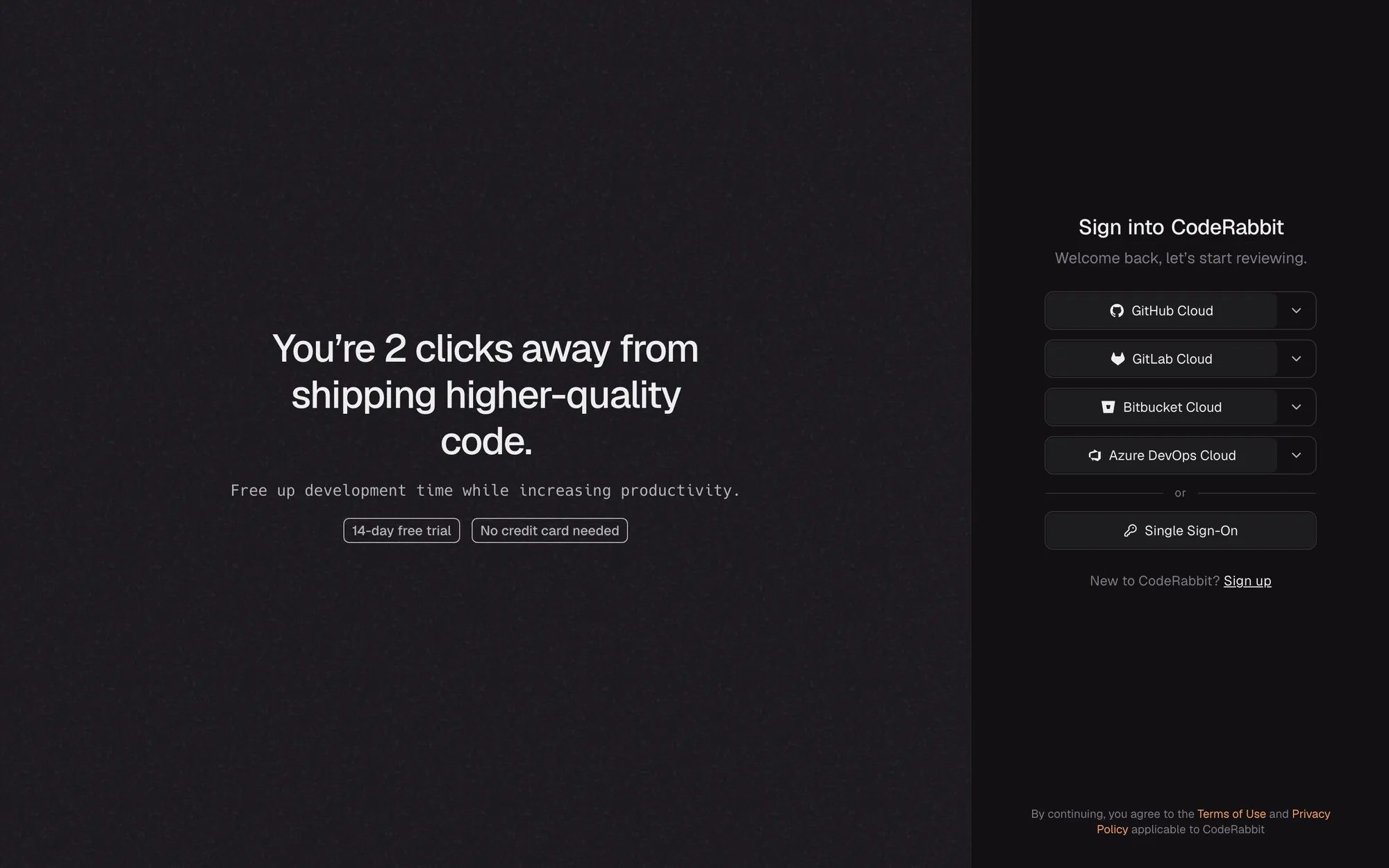
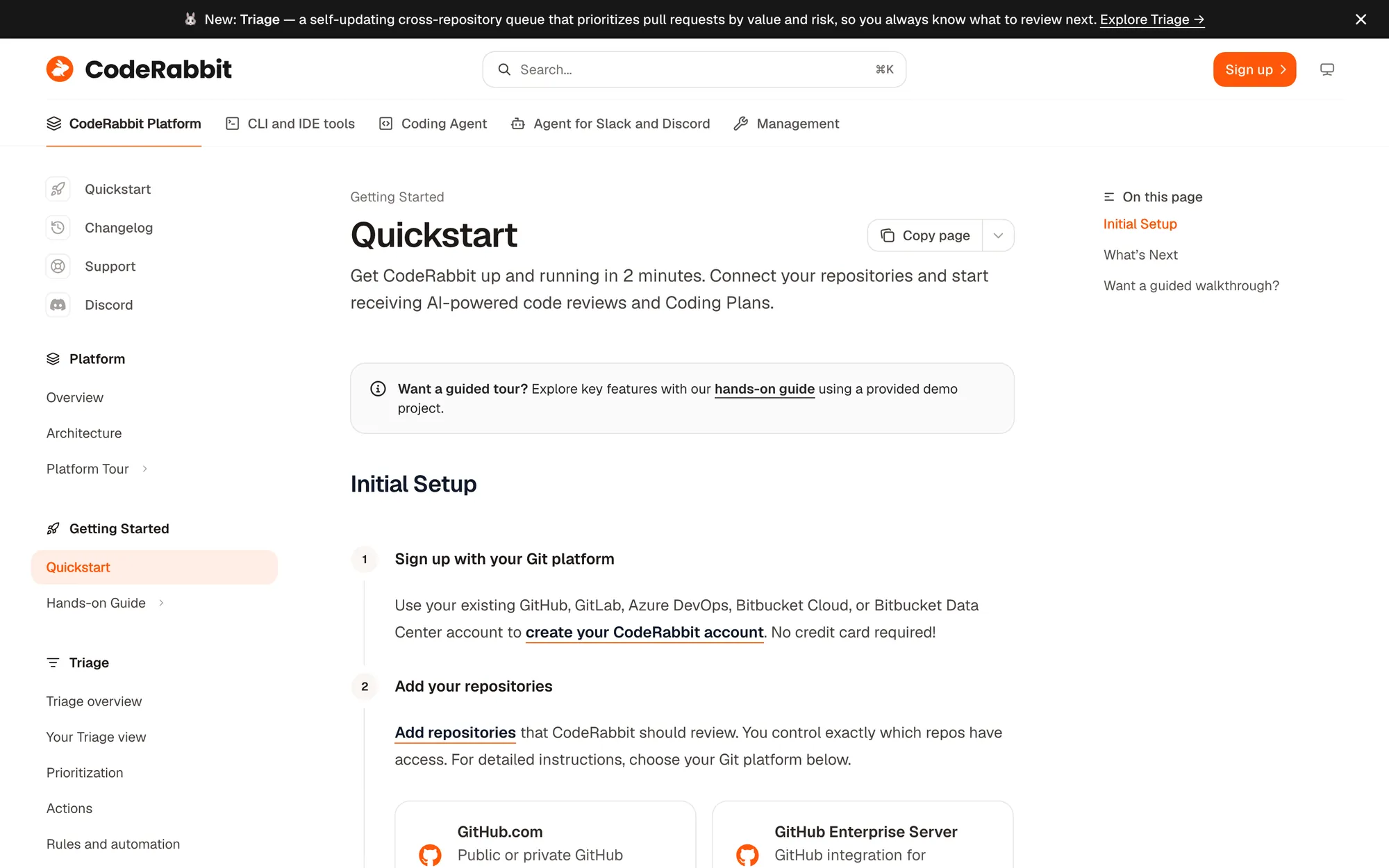
| CodeRabbit | AI code review | GitHub, GitLab, Bitbucket and Azure DevOps cloud; SSO | 2, then open a pull request | Org owner permissions needed to authorise for an org; no path for non-owners described |
| SonarQube Cloud | Code quality | GitHub, Bitbucket, GitLab, Azure DevOps; enterprise SSO | 4 | Needs a Create Projects permission in the Sonar org; GitHub role not stated |
| Codecov | Test coverage | GitHub, Bitbucket, GitLab | 6 | Says non-admins may need to request access from an admin, and links a guide |
| Snyk | Security scanning | GitHub, Google, Bitbucket, Entra ID, Docker ID, company SSO | 5 | You can request access to an existing Snyk organisation by choosing its admin |
| DeepSource | Code review and analysis | GitHub, GitLab, Bitbucket, Azure DevOps Services; SSO | 7, including an invite-your-team step | Not mentioned |
| Semgrep | Security scanning | GitHub, GitLab; SSO | 7 on the CLI route | Not detailed; a local scan works without an account |
| Graphite | Stacked pull requests and AI review | GitHub, or another GitHub host | 5 | Asks for access to your GitHub orgs; approvals not described |
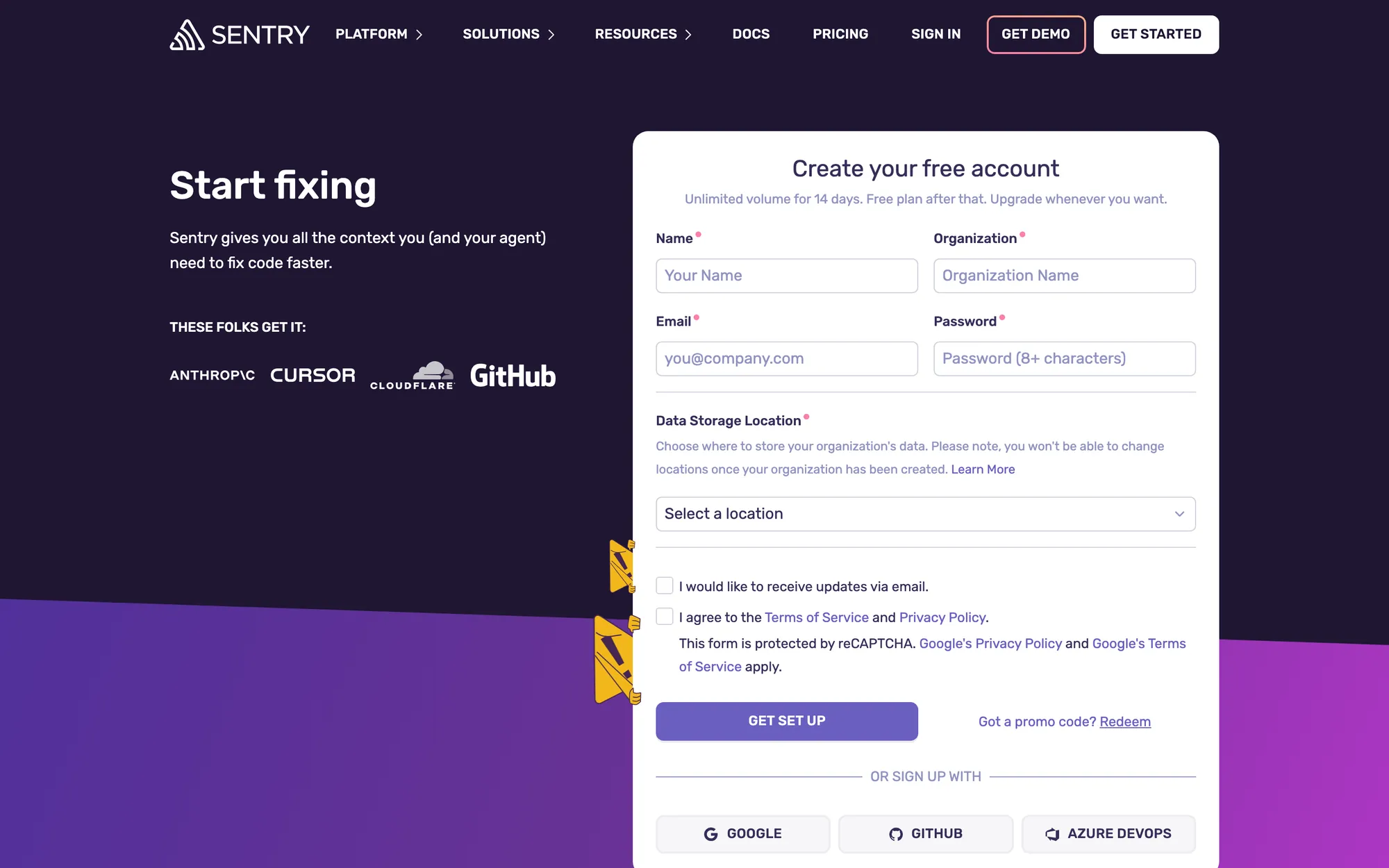
| Sentry | Error monitoring | Google, GitHub, Azure DevOps, or a form with organisation name and data location | 4 | Not for the SDK path; the GitHub integration needs a GitHub owner |
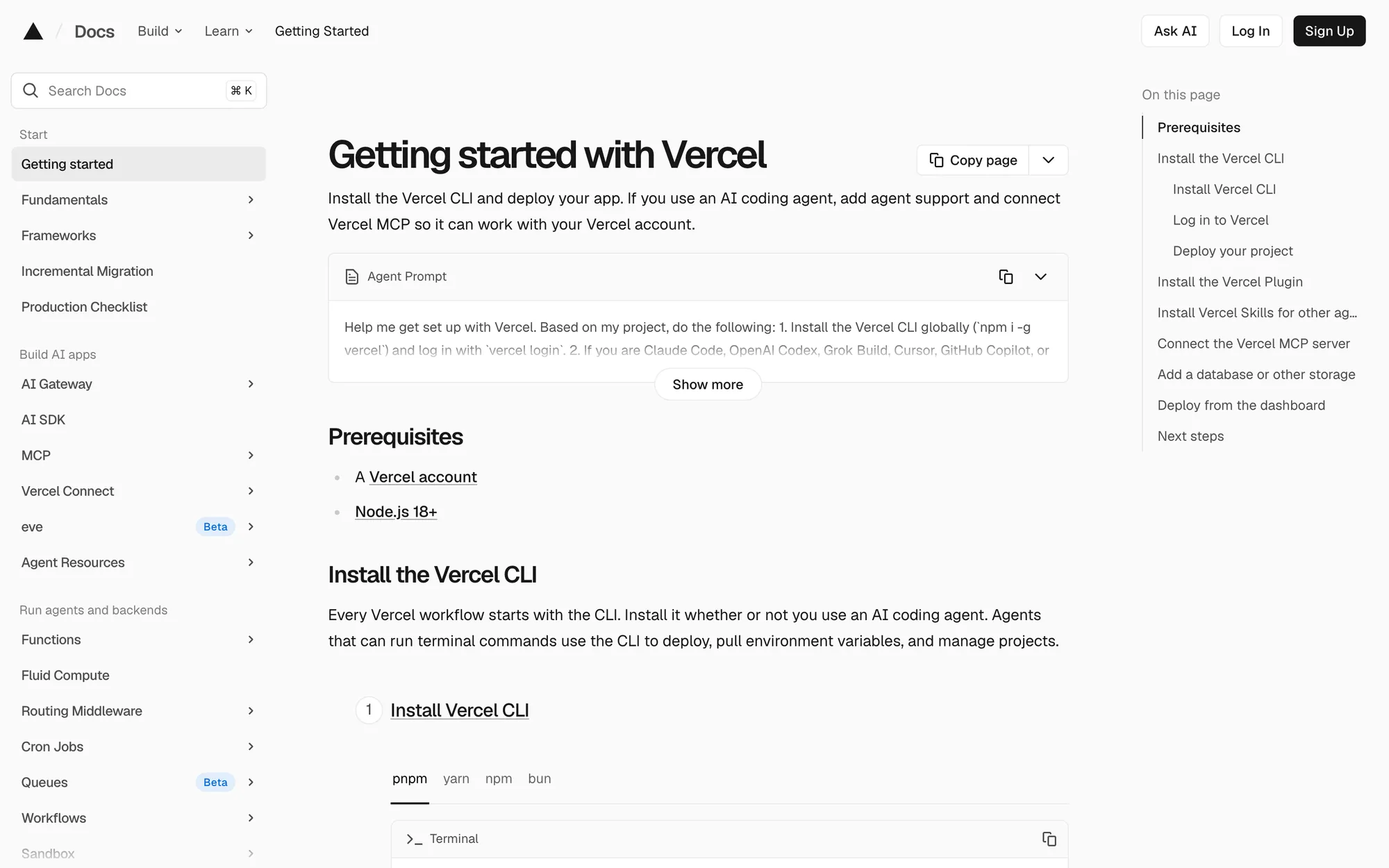
| Vercel | Hosting | Google, GitHub, ChatGPT, Apple, more options, email | 3 on the CLI route | For org repos, an owner or a member with repo access; says to contact your owners |
| Netlify | Hosting | Google, GitHub, GitLab, Bitbucket, email | 7 | Not mentioned |
| Railway | Hosting | GitHub, email | 4 from New Project (sign-up not covered) | Not mentioned |
| PostHog | Product analytics | Data region, then email, Google, GitHub, GitLab | Not numbered; an install wizard is the default | Not mentioned; sign-up links to joining an existing organisation |
| Supabase | Database | GitHub, ChatGPT, SSO, email | 8 in the Next.js quickstart | Not mentioned |
| Neon | Database | Not observed (security check page) | 4 once a project exists | Not mentioned |
The step counts follow each vendor's own numbering, so they don't compare perfectly: one vendor's "step" can hide three screens. I read them as how long the path looks to a developer deciding whether to start.

What the shortest paths have in common
CodeRabbit had the shortest quickstart I found: sign up with your Git platform, add repositories, open a pull request, and the review shows up on it. The first result arrives where the developer already works, which is the right call for a review tool.
Vercel's CLI route is three commands: install, log in, deploy. Its getting-started page also opens with a prompt you can paste into a coding agent to do the setup for you, which I hadn't seen elsewhere in this set. PostHog's install docs lead with a single wizard command for the same reason.
Supabase and Neon deal with a different wait, the empty database. Both quickstarts create a small sample table, so the first query returns rows before you've brought any data. Semgrep runs a local scan without an account. In all three, a developer reaches a result without anyone's permission.
The admin gate: mostly silent
Any tool that installs an app on a company GitHub org runs into org permissions. GitHub's own docs describe what happens when a member who isn't an owner tries: GitHub emails the owner about the request. What products usually leave out is telling the developer that this will happen and what to do while they wait.
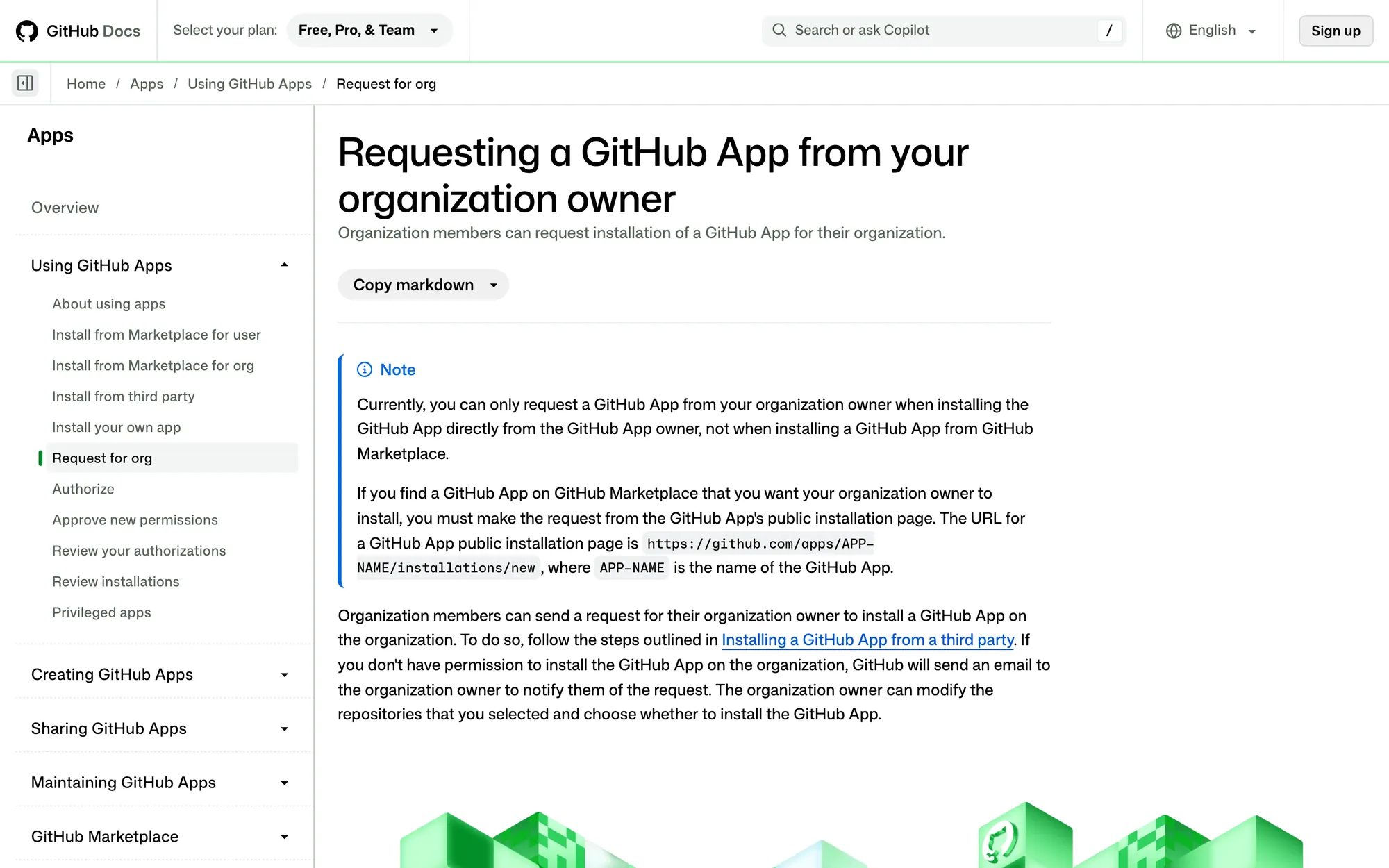
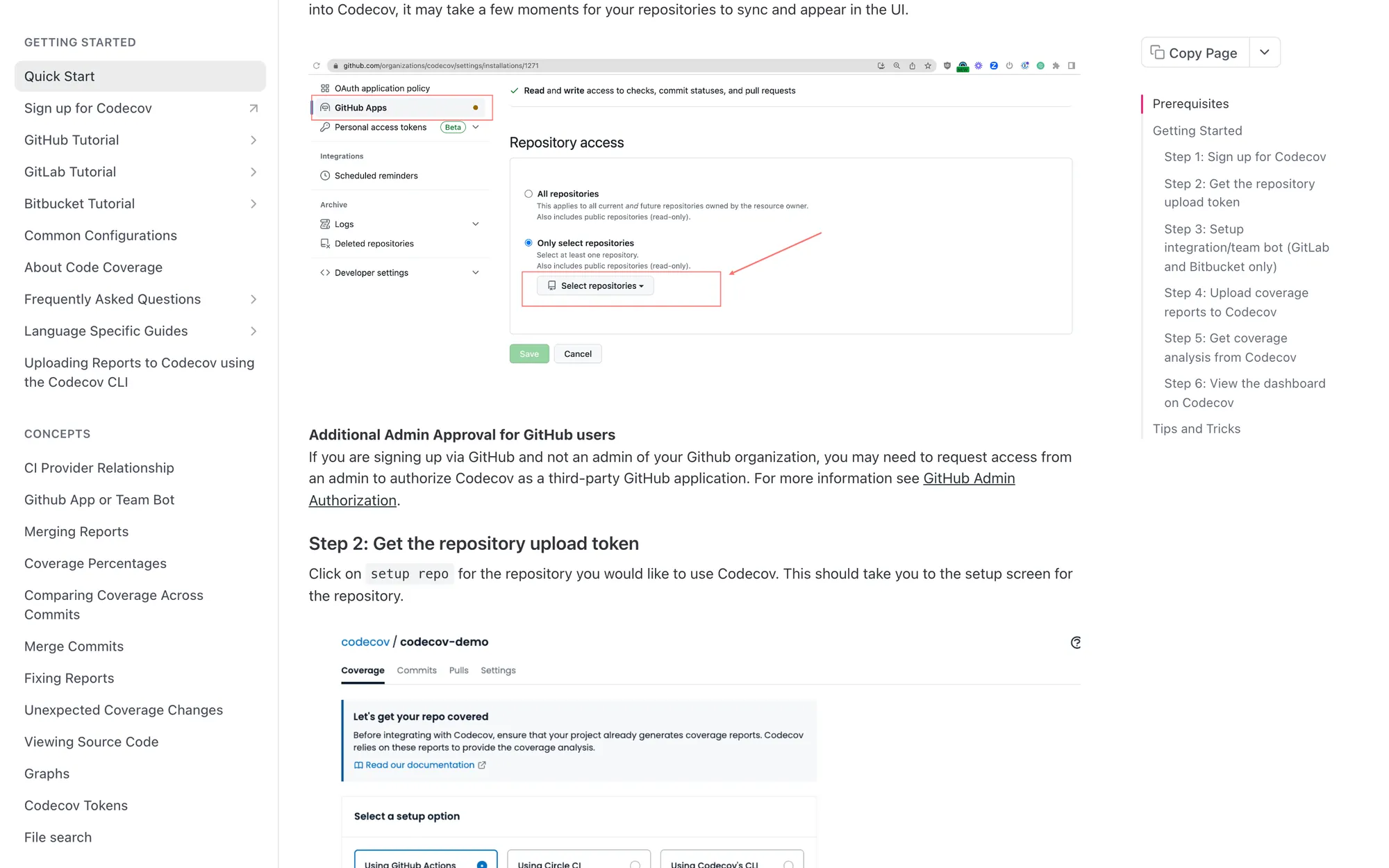
Codecov handles it best in the set. Its quickstart says plainly that if you're not an admin of your GitHub organisation you may need to request access, and links a page on how. Vercel's GitHub docs explain which org roles can import a repo and tell you to contact your owners. That kind of plain note costs nothing and needs no UI change.
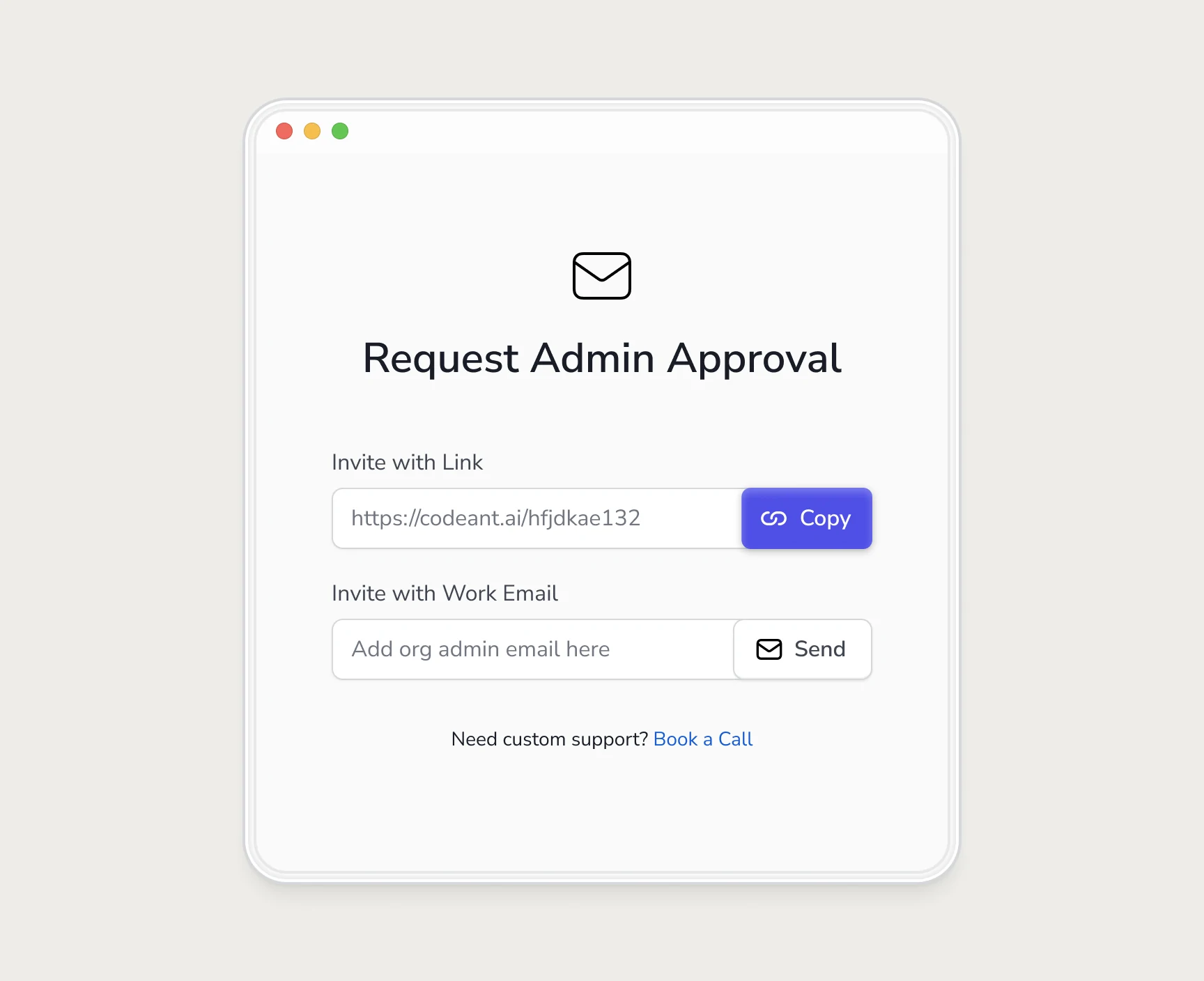
At CodeAnt I designed the request into the product, so a blocked developer can email the admin or copy an invite link for team chat. How that worked, and what it changed, is in how we doubled trial-to-paid.
How I checked
- Date: 8 October 2026.
- Which tools: 14 developer tools across code review and quality, security, hosting, monitoring, analytics and databases, picked because developers commonly sign up for them on their own.
- Sign-up options: I loaded each public sign-up or log-in page in a browser and recorded the options shown. Neon's page showed a bot check, which I didn't try to get past, so it's marked not observed.
- Steps: counted from each vendor's official quickstart or getting-started page as written, from sign-up to the first result the doc promises.
- Admin gate: searched the quickstart and the main GitHub integration page for any mention of org owner, admin or approval, and for advice to people without it.
- What I didn't do: create accounts, time real setups, or look at anything behind a login. The real flows may handle the admin case better than the docs suggest.
If you run a developer tool and want your own onboarding read the same way, with your funnel data, that's the SaaS onboarding audit.
Questions people ask
How many steps should developer tool onboarding have?
As few as it takes to get to a real result. In this check, documented quickstarts ranged from 2 to 8 steps with 5 at the median. Count the steps a non-admin sees too, since that path is often longer than the one in the docs.
What is the admin gate in developer tool onboarding?
The point where setup needs an org owner or admin, usually to install an app on the company's GitHub or GitLab org. Most developers who sign up aren't admins, so the flow stalls there.
Did you sign up for each tool?
No. I read public sign-up pages and official docs and recorded only what they showed. The table says where something wasn't observed.
Can I use this data?
Yes, with a link back to this page. The method section explains exactly what was checked and when.
Sources
- Requesting a GitHub App from your organization owner, GitHub Docs
- Quick Start, Codecov Docs
- Quickstart, CodeRabbit Docs
- Getting started with Vercel, Vercel Docs
Working on this?
Tell me what you're building and where it's stuck: book a 30-minute call, email work@utkarshdesign.com or send a brief.