SaaS onboarding examples and what each gets right
Guide · 7 min read · By Utkarsh Dhairya Panwar · Updated
The onboarding worth copying gets a new user to a real result in few steps and has an answer for the moment they need a colleague or an admin. I read the public sign-up pages and docs of seven products in October 2026 against those two tests.
Two tests, both from a trial that stalled
Most lists of onboarding examples grade on looks, like a friendly welcome or confetti at the end. I grade on the two places I've watched real trials die.
- Time to first value. How many screens and steps sit between the sign-up button and the first result the user came for? Fewer is better, as long as the result is real.
- The admin test. In B2B, the person who signs up often can't finish setup alone. Does the product notice that and give them a way to bring in the colleague who can, or does it leave them stuck?
The second test comes from CodeAnt AI, where I'm the founding designer. Connecting a repository needed an org admin, most people signing up weren't one, and a flow that looked complete on paper failed inside real teams.
Seven onboarding examples and what each gets right
Everything below is what I saw on the live sign-up page or in the product's own docs. I didn't create accounts, so the screens behind the login aren't covered.
| Product | What I saw | Test it passes best |
|---|---|---|
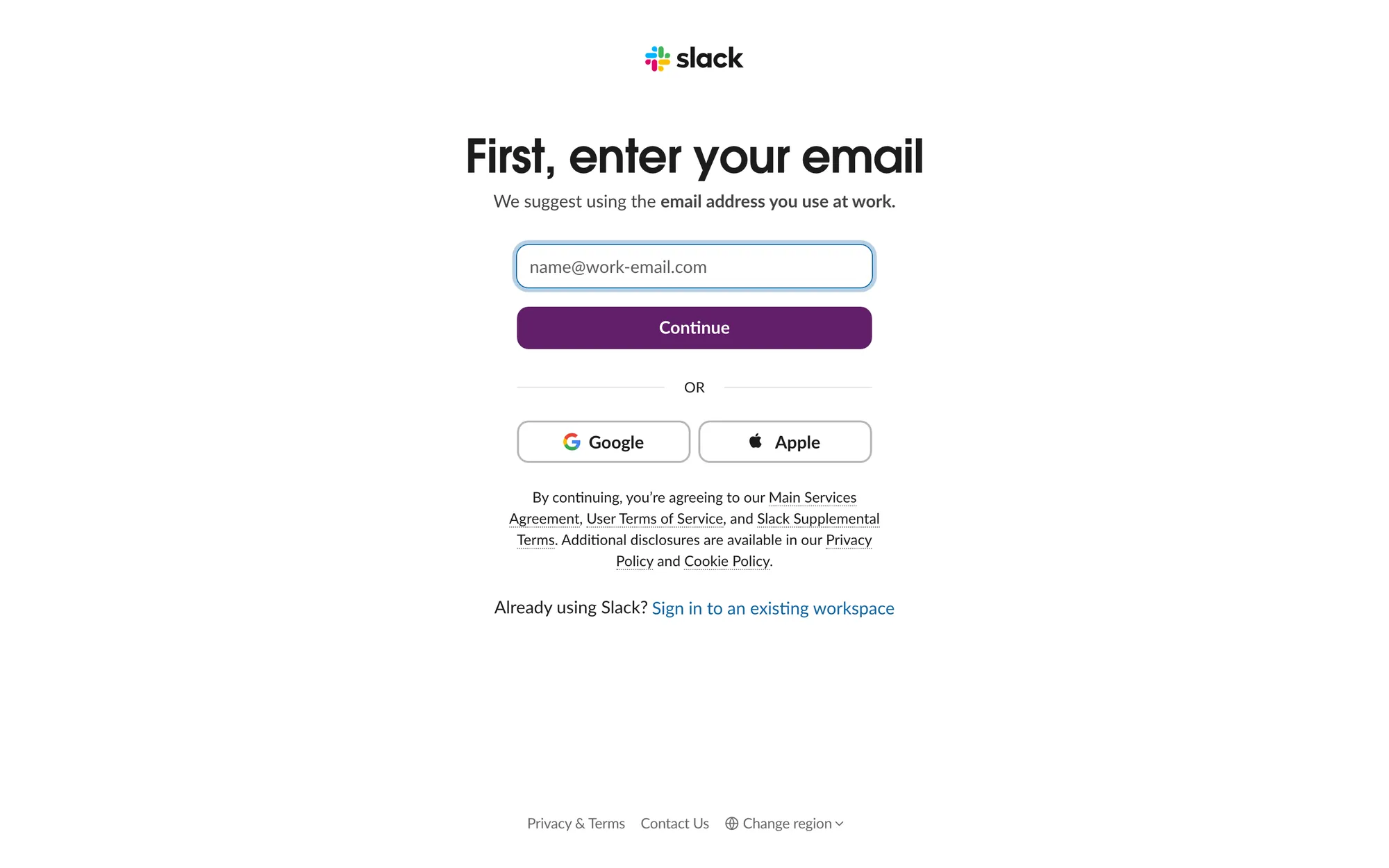
| Slack | Email first, with a line suggesting the address you use at work; Google and Apple as alternatives | Admin test: a work email is how you end up near your colleagues |
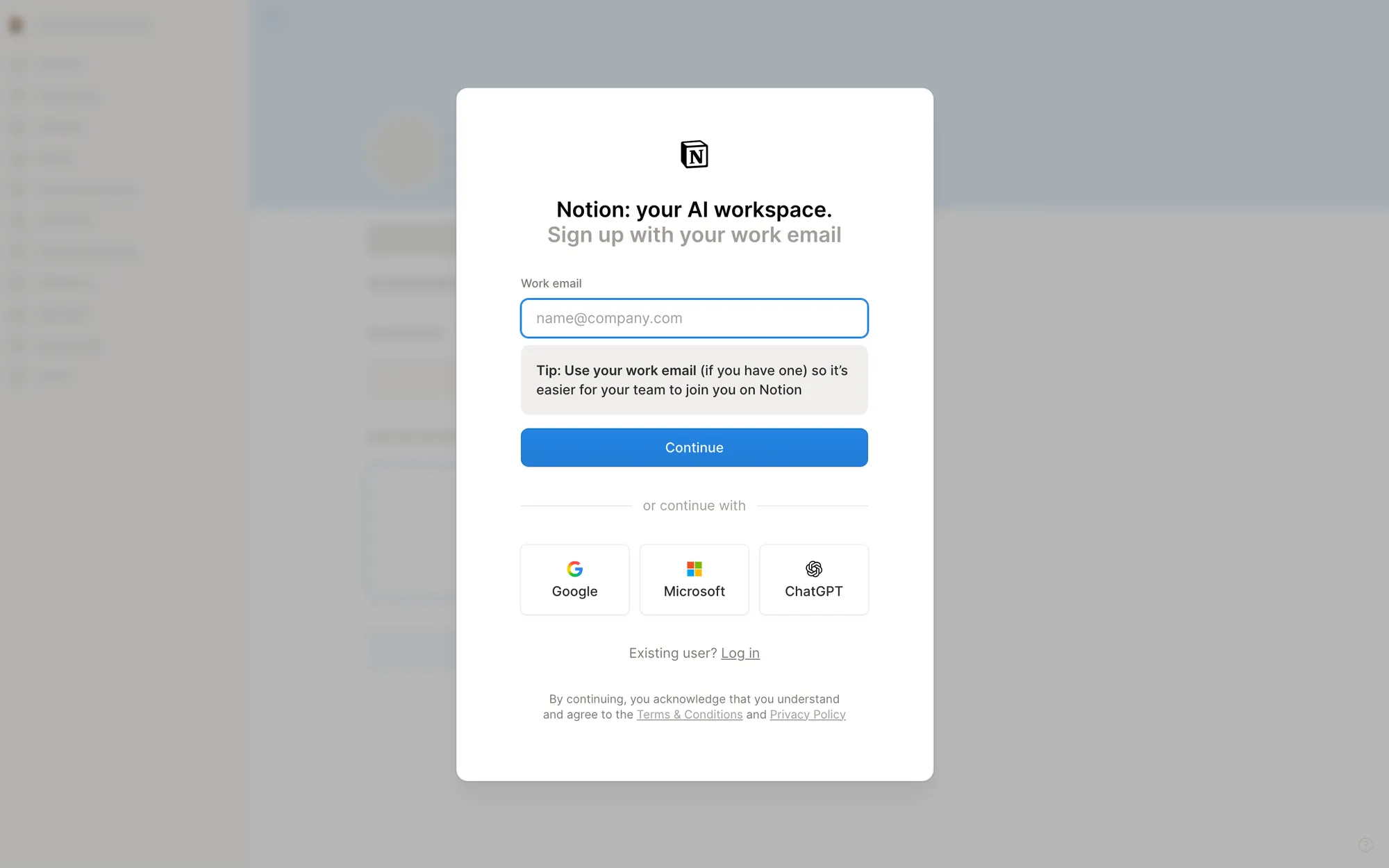
| Notion | "Sign up with your work email", with a tip that it makes it easier for your team to join you | Admin test: the help docs describe allowed email domains that offer colleagues the workspace during onboarding |
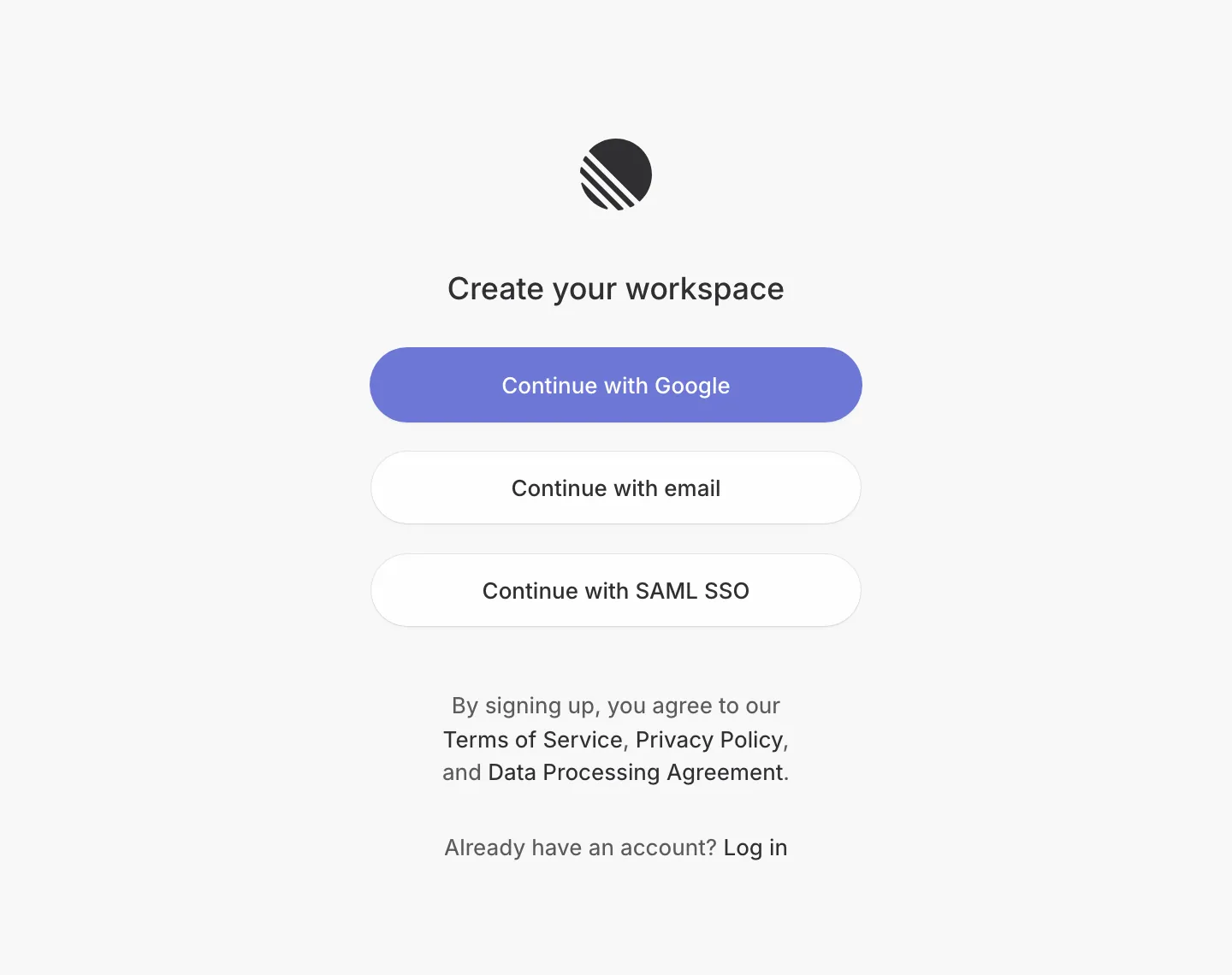
| Linear | A page titled "Create your workspace"; Google, email or SAML SSO | Admin test: the start guide splits admins setting up a team from people joining one |
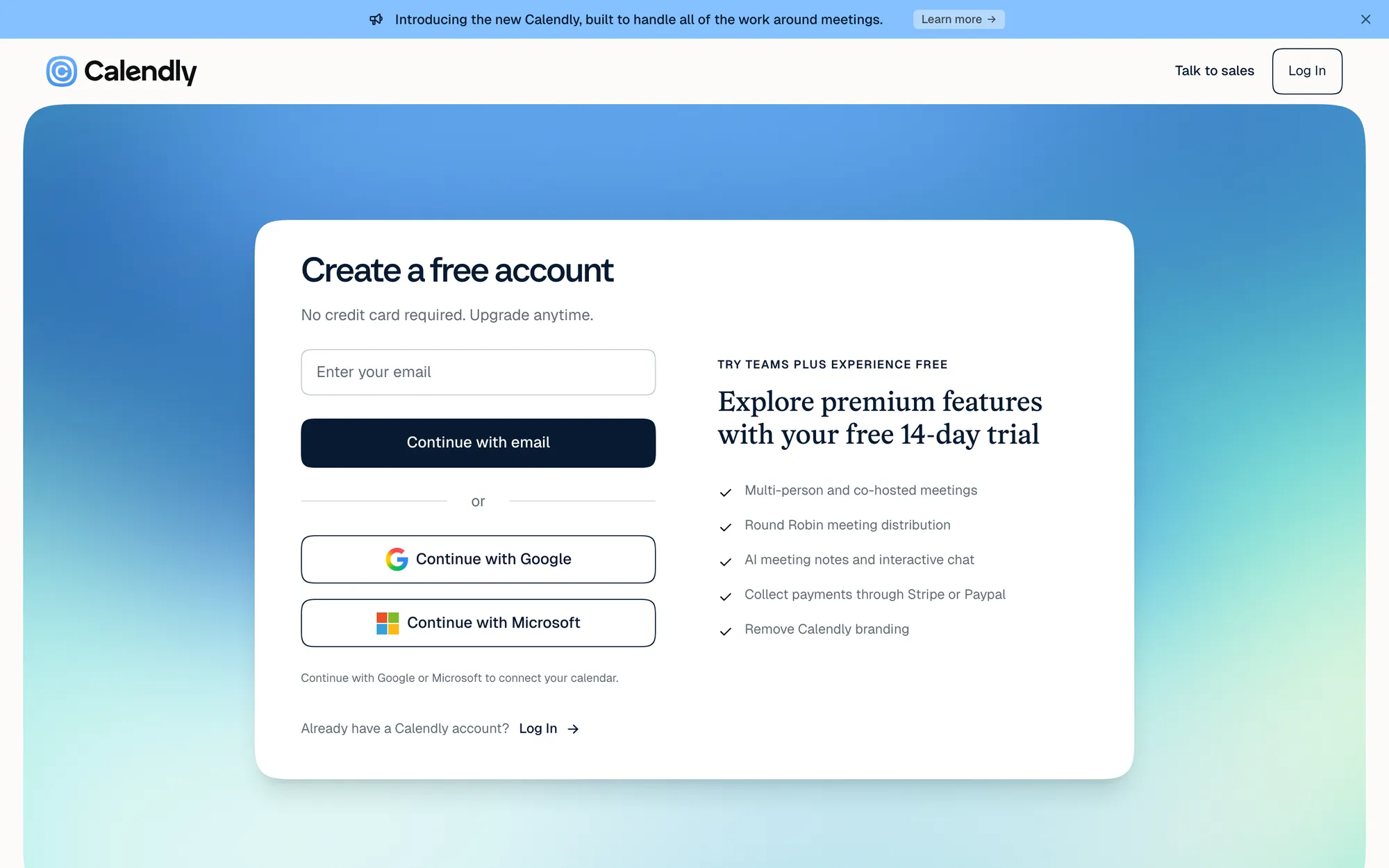
| Calendly | "No credit card required" and a line saying Google or Microsoft sign-in connects your calendar | Time to value: sign-up and the first integration are one step |
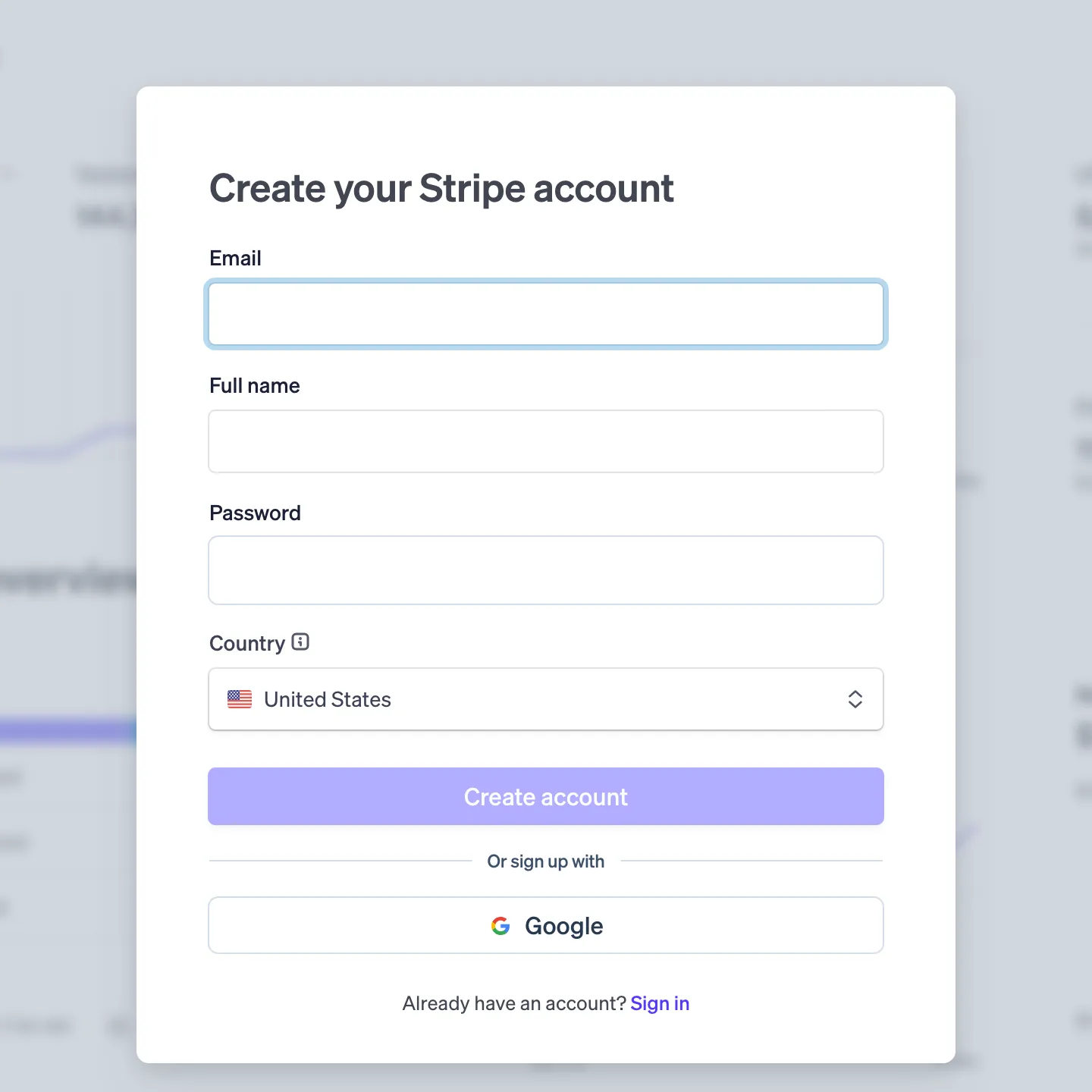
| Stripe | Google, or full name, email, password and country | Time to value: one short form, and country is the only business detail asked |
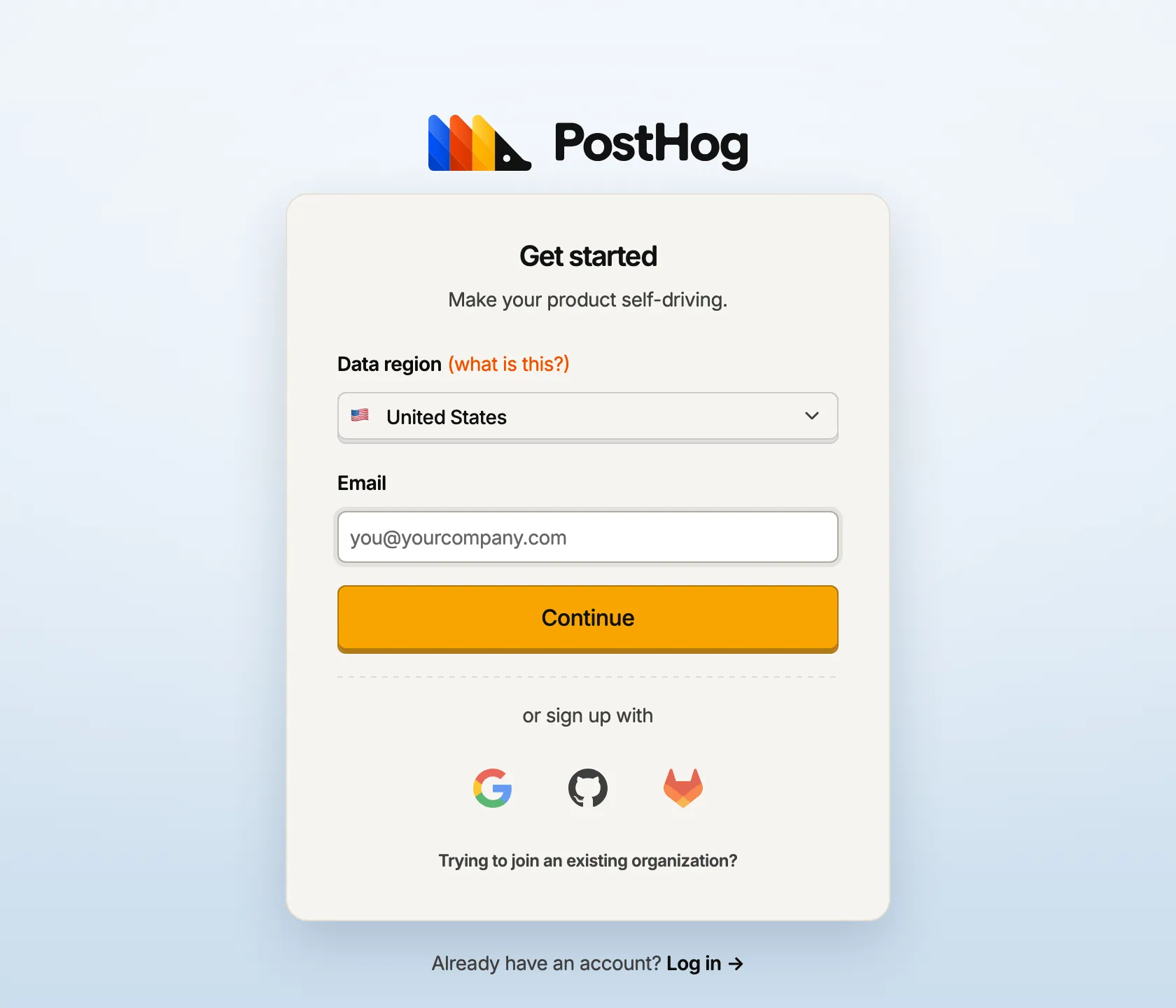
| PostHog | Data region, then email, Google, GitHub or GitLab, plus a link asking if you're trying to join an existing organization | Both: an install wizard in the docs, and a door for teammates on the sign-up page |
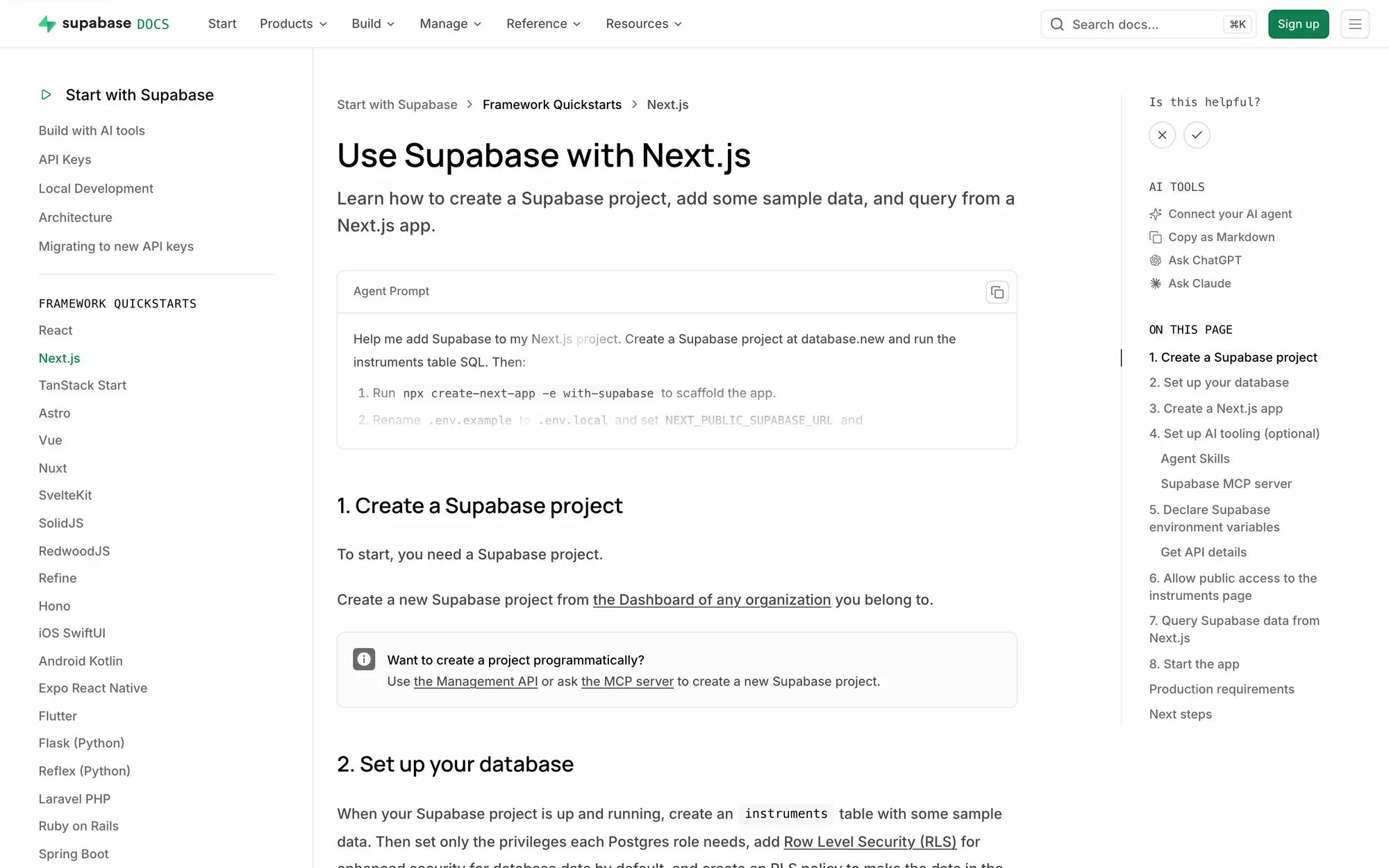
| Supabase | GitHub, ChatGPT, SSO or email; the Next.js quickstart seeds a table with three rows of sample data | Time to value: the first query works before you have data of your own |
The ones that plan for a second person
Slack and Notion both nudge you toward a work email before you've typed anything. It looks like a small copy decision. It's also the first step of team activation: an account tied to a company domain can be matched to colleagues later, so the second and third person arrive without anyone sending an invite.
PostHog does something I'd copy straight away: a link on the sign-up page for people trying to join an existing organization. It catches the teammate who was about to create a duplicate, empty workspace, someone already sold whom you'd otherwise lose without noticing.
Linear's start guide makes a related split: admin guides grouped by company size, and a separate page of tips for people joining a team. Those two people need different first screens, and most onboarding treats them as one.
The ones that shorten the first mile
Calendly collapses two steps into one. Signing up with Google or Microsoft also connects the calendar, which is the integration the product can't work without. The sign-up page says so in a single line, so the permission request doesn't come as a surprise.
Supabase handles the empty-database problem in its quickstart. You create a small table of instruments (violin, viola, cello) and query it from a Next.js app, so the first result is real even though the data isn't yours yet.
Stripe keeps the opening form short and asks for country next to the account details. My guess is that the account setup branches on it, which would make it one of the few fields that earns a place before value.
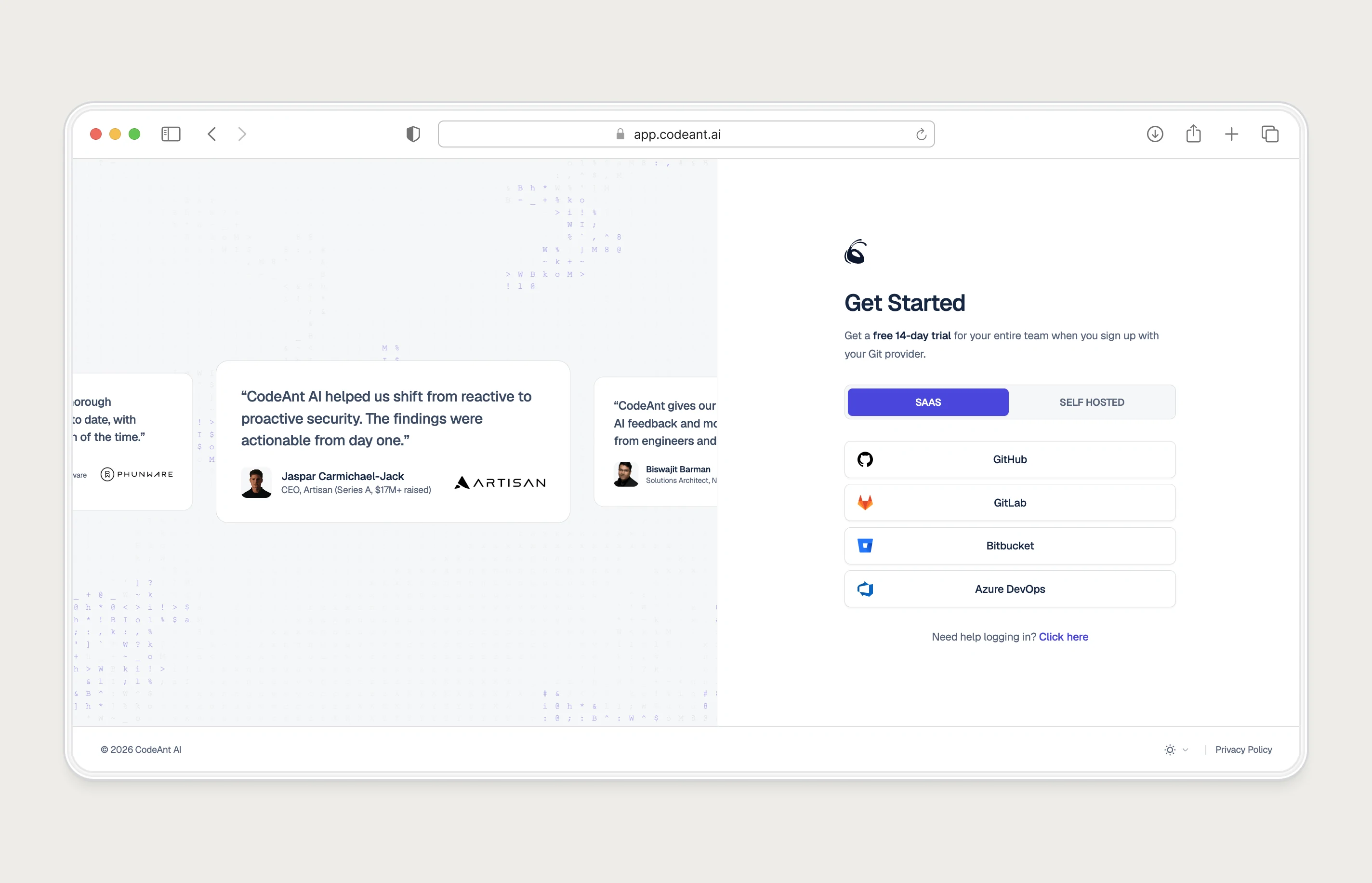
How CodeAnt's own flow scored
Before the redesign, CodeAnt passed the first test and failed the second. Signing in with the Git provider you already use was quick, but a blocked non-admin had no next step. The fix was a way to request the admin from inside the product.
Judge any example on this page by who it works for. Most look great for a solo admin and fall apart for the developer who found the tool first. The trial-to-paid guide has the CodeAnt redesign and its results.
How I checked
- Date: 8 October 2026. Pages change often, so treat this as a snapshot.
- Sources: each product's public sign-up page, loaded in a browser, plus its official quickstart or help docs (for example Linear's start guide and Supabase's Next.js quickstart). No accounts were created and nothing was submitted.
- What I recorded: the sign-up options and fields shown, any copy about cards, trials or work email, and anything in the docs about joining a team or needing an admin.
- What I didn't do: time anyone's flow, look behind a login, or estimate conversion. Where I inferred intent (Stripe's country field), I've said so.
If you'd like your own flow read against the same two tests, that's what my SaaS onboarding audit does, with your funnel data on top.
Questions people ask
What makes a good SaaS onboarding example?
It gets the user to the result they signed up for in as few steps as possible, and it has a path for the moment they need a teammate or admin to continue. Visual polish matters far less than those two.
Should B2B sign-up ask for a work email?
Suggesting one, as Slack and Notion do, helps colleagues find the same workspace later. Forcing one blocks people trying the product on a personal account, so I'd suggest rather than require.
Is sample data a good idea in onboarding?
Yes when the product is empty until the user brings their own data, as with databases and dashboards. Label it clearly as sample data so nobody mistakes it for their own.
What about onboarding examples for developer tools?
Devtools have their own problems, mostly OAuth scopes and org admin approval. I counted steps and admin handling across 14 of them in a separate benchmark.
Sources
- Start Guide, Linear Docs
- Use Supabase with Next.js, Supabase Docs
- Manage members, admins & guests in Notion, Notion Help Center
Working on this?
Tell me what you're building and where it's stuck: book a 30-minute call, email work@utkarshdesign.com or send a brief.